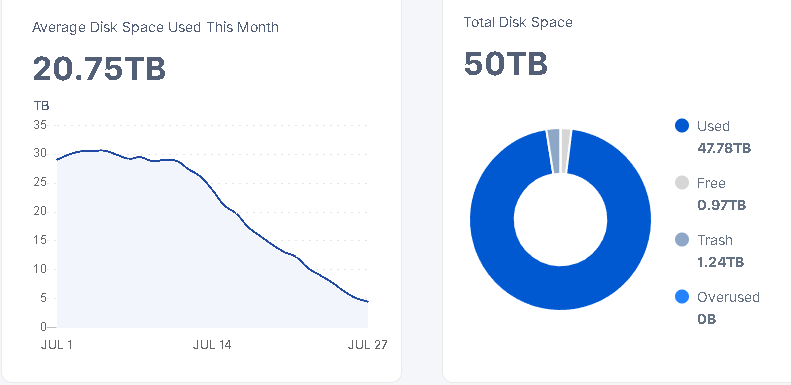
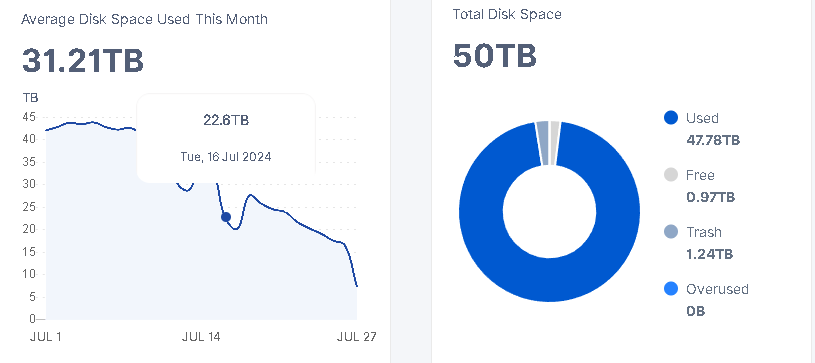
It’s not shrinking as much as I would expect. Two weeks with (almost) no ingress should likely delete half of the test data (what was uploaded between 4 and 6 weeks ago) since the test data is supposed to have 30d TTL. However, the node shrunk only by a little (a few TB).
I’m sorry, but I would expect that you need to run another round of a used-space-filewalker…
We have had several bugs (which are fixed, but perhaps not rolled out yet), so the another round of a used-space-filewalker should keep the databases updated.
One of my nodes is unable to keep up with the TTL deletes and running it since 70h already. So yea it is possible that a node is falling behind with the TTL deletes. It does affect only one of my nodes for some unknown reason. My suspicion is the new badger cache. It would help if I would run the used space filewalker. One execution and the cache would know all the pieces sizes I have on disk. I don’t run the used space filewalker. I should run it to correct the numbers on my dashboard but as long as I still have free space to fill I see no need to correct the numbers and keep the used space filewalker disabled. → TTL delete hits empty cache and slows down a bit.
My recommendation would be to check /mon/ps output to see how the TTL deletes are doing. You don’t want to see something like this:
I restarted my node to run the used space filewalker, it is still running. My problem is that the used space on disk roughly matches what the dashboard shows, but the “used space” that is reported by the satellite is decreasing.
Saltlake only:
Just asking with rookie knowledge. As far as I understand, the data is beeing deleted, to free up space, so the node can write new data again. Wouldn’t it be more efficient just to overwrite the trash which is older than 7 days instead of deleting it, to rewrite data? Like windows does it when you click “delete” it doesn’t get deleted driectly, it is just marked as overwritable, when the space is needed. Wouldn’t this speed up the process, or is it maybe already done partially?
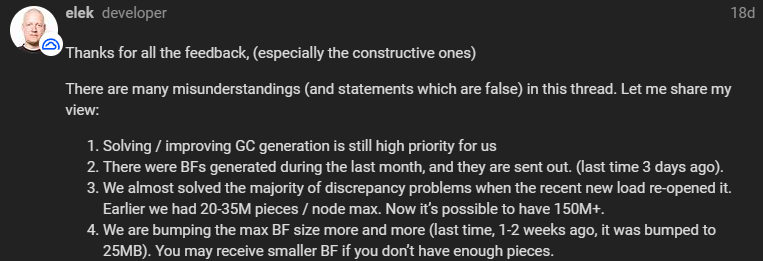
25MB is the max size that was last reported. I hope they have bumped it up a little but considering how resource extensive it is, it could take a while to get bigger BFs.
That’s what every filesystem does.
That’s the very reason why removing a file, originally is being called unlink: you’re unlinking an inode from it’s directory, that’s all what needs to happen in order to throw the file away. In background of course the blocks/extents of the file need to be added to the free-map. This is also the very reason, why you can recover deleted files to a certain extent. Depending on the filesystem the extent of recoverability differs of course.
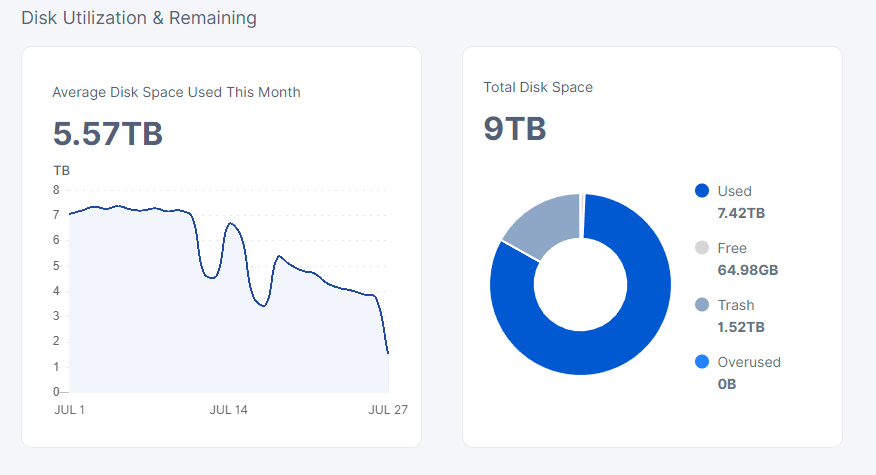
These are what I got for a 9TB node. The node was restarted 4 days ago and the first one is still in the queue as the node did not finished with the used-space + GC + BF filewalkers…
It is by the directory 4d in the 07-24 trash folders. Most of the directories have 7k+ files.
I have a 07-19 folder in the trash for the same sat, there are around 4k+ files in each folder…
And still nothing in the other sat’s trash folder.
yes also for me, so it all ok.
as there 1.110 released and started rollout, it is goo to have some break for update and filewalkers. it on version.storj.io but not on github jet. soon will be i think.
The scary thing about turning off test ingress… is that we all get reminded of the slow erosion of TTL data beneath the surface, that’s usually hidden. You can watch your %-used gradually get nibbled away as the nodes continue their housekeeping… like your disk has sprung a leak.