So, if I understand correctly, those who thought it was related to that were right?
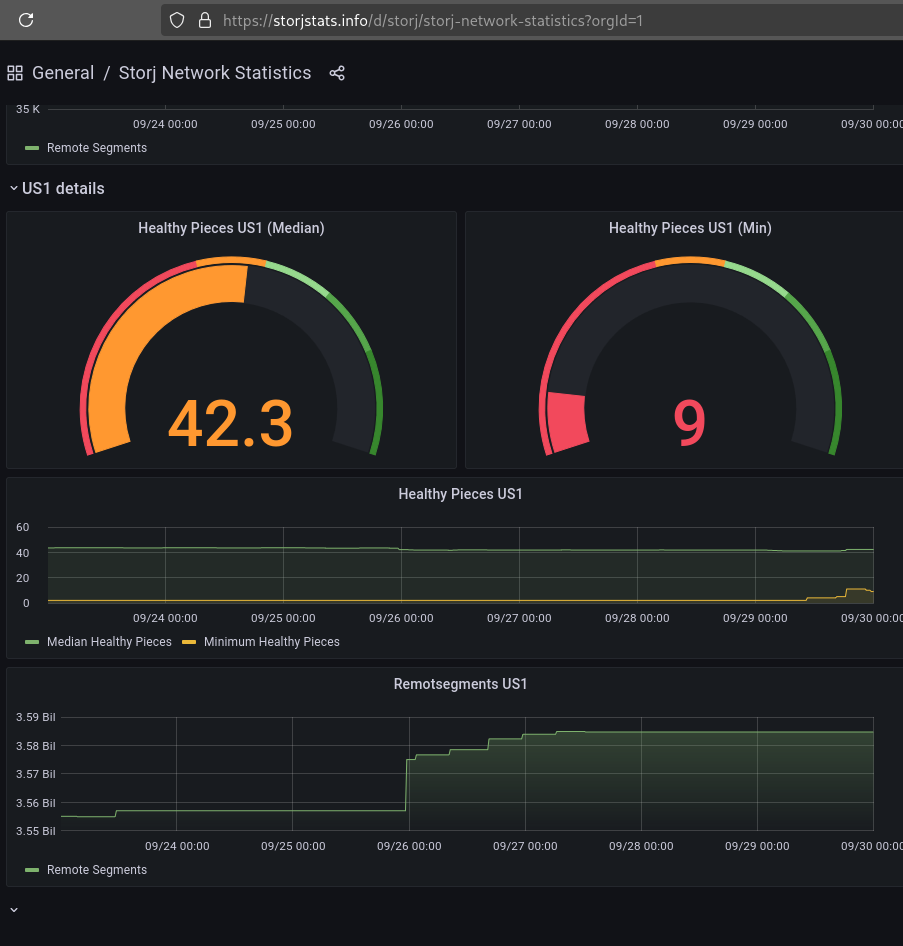
It was at 2 a few days ago and has now gone up to 9.
So as soon as it reaches 49, the unusual ingress will stop significantly?
For my part, I lost 1.3 TB on a single node, but a few weeks ago I regained 500 GB. (But I’m not sure if this is an error related to the hashstore migration that has been updated.) However, the line and server capacity is still underutilized. I’m at 20 MB/egress and 5 MB/ingress. But that’s three times more than usual for the egress. 

No I did not say that.
On US1 these metrics contain storj select and that has a different RS setting. The highest possible number we would see there is 13. That is the success threshold after all storj select segments have been repaired.
I don’t think so. First of all we don’t know if the current repair work is enough to clean up the repair queue. It will take a few days until we have some numbers to work with. Second even if the repair queue gets cleaned up and the repair process might calm down a bit there is still more data that needs to get migrated to the new RS settings. That will increase repair work again. In the long run I do expect the current repair work to stay relative high. Last but not least we can also change the RS settings to reduce the repair work. It is a bit early to make any calls like that.
Ok, then I misunderstood that, sorry! It sounded like you are manually increasing/decreasing repair workers.
Btw. Is there some explanation about those RS numbers what they mean? Or what I have to Google to learn more about it?
Yes you can look up “erasure coding”, especially in the Storj whitepaper.
RS here stands for Reed-Solomon, a type of coding scheme.
With 65/29, each segment of 29 data pieces is expanded to 65 total pieces. These 65 pieces are distributed across different nodes, but only 29 are required to reconstruct the data. Now it will be distributed across only 49 nodes
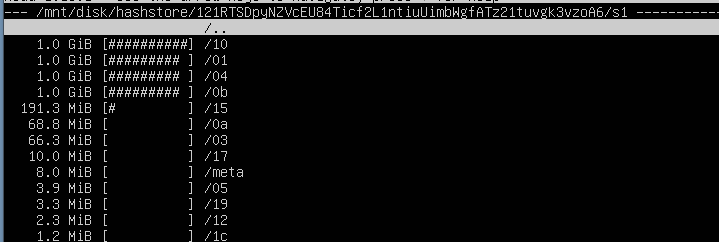
how much space, should the hashstore be taking ?
Is there any way to limit the egress of the node, like in the config file?
if you limit repair Egress you can get a suspension, i think it will not be very long time, so enjoy additional money.
All my nodes are egress limited atm because of internet speed and I can’t see any drop in stats. So limiting egress by firewall or os should work with no problems.
Unfortunately this only compensate the shrinking stored data on my nodes.
Lost about 30% the last months but payout remains the same 
So everything is Fine 
Limits could make your node unresponsive to audits also. Be careful.
I dont think so, they are only to Slow to win races where they are limited.
Audits are not under race condotions afaik, they have to be responded. Which should be Fine.
What I see is higher number of lost races but no impact on audit score so far.
During high load on a few nodes ,
I’m noticing hashstore using GBs of space , how much should this use ? Typically
The same or less as piecestore.
piecestore… isn’t that where the small files are stored (3.7tb on a 4tb drive) … ? so you need another 4tb, for hashstore ??? Have i got confused
This is on a VM , which originally i only have 16GB SSD , and HDD of 4TB.
how i keep expanding the 16GB SSD, - what size should i expect to increase it too ?
on migration it will convert all this small files to big files, it will obay whole amount of node and will not go over the size.