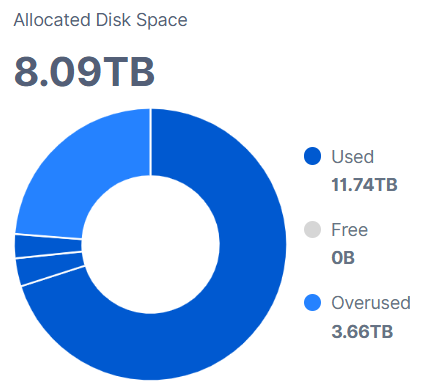
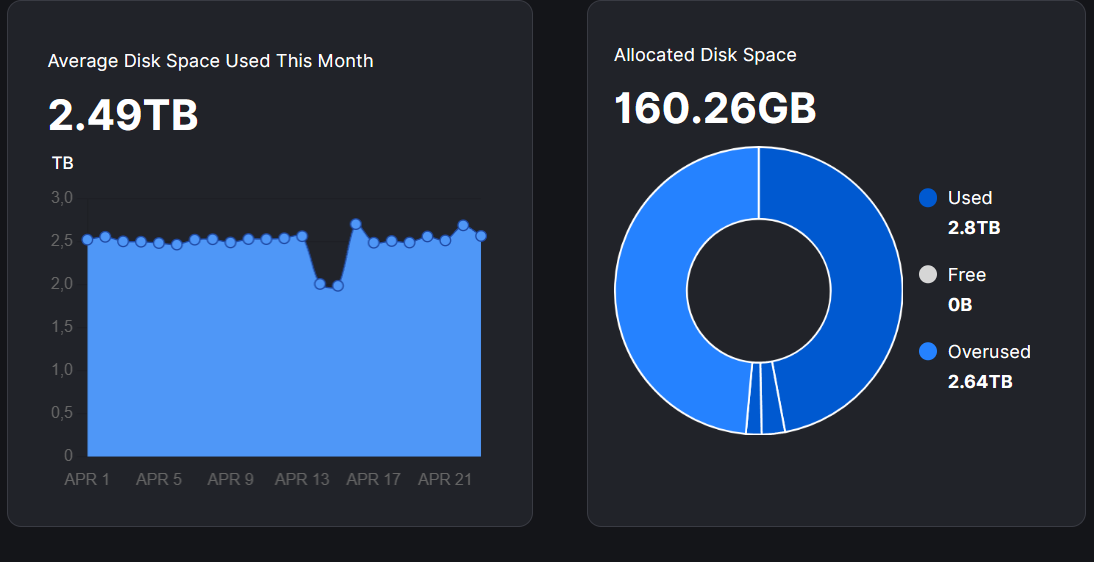
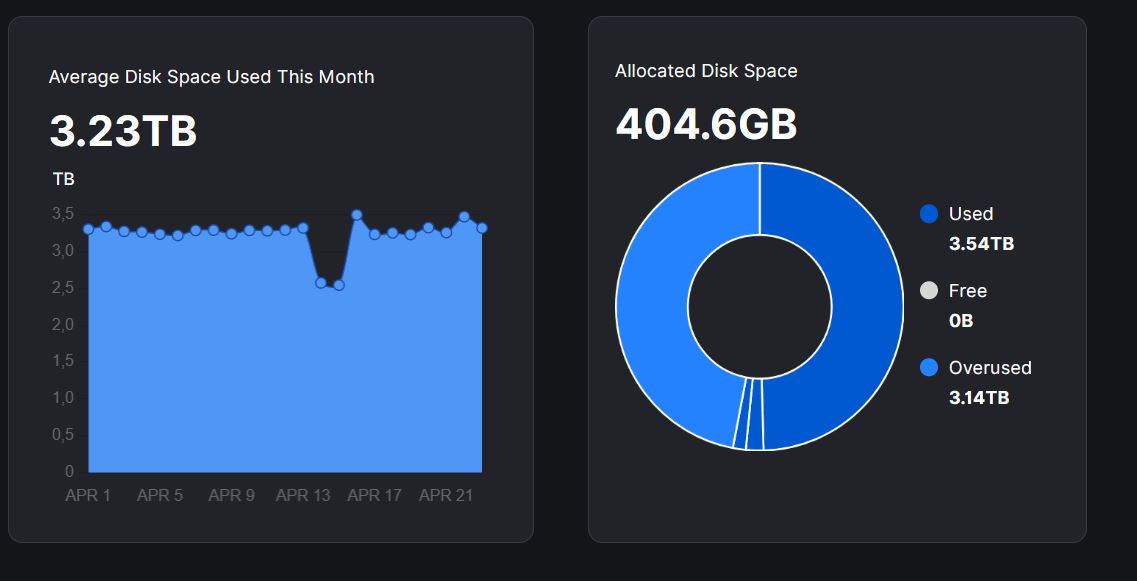
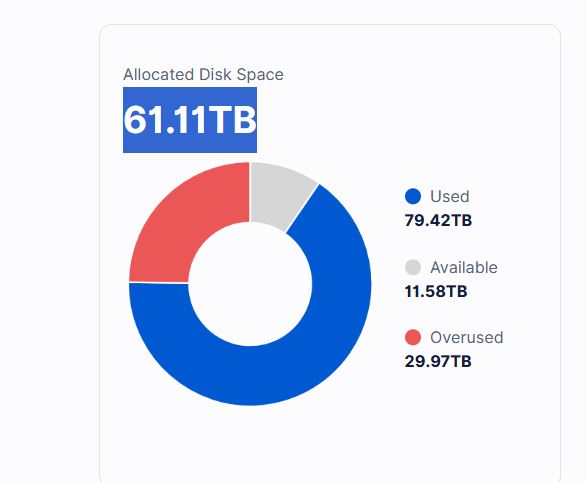
It’s incredible, alla my nodes are overused. 2 nodes not start because they are full but now the log indicate that the minum node is 500gb but the config is not changed.
I am contacting storj, please solve the problem urgently
The upside is that the nodes that have not updated will have some extra ingress. Hope Storj solves this before there are not any nodes with the working version left…
I replaced the .exe file on the Windows nodes, no problems so far. I haven’t dared to touch the Docker containers yet; they all have 3-4TB of overused space.
yes, trick the min space config work to bypass disk space calculation error.
Please note that ““ symbol is wrong, the forum auto-add it for quote but in the command, it does not exist.
Also note that such config is needed to avoid database corruption, need revert it later, not leave docker run with it for ever
Yes I’m back on 1.152.3 until its fixed, seems ok on this version.
For those that need to go back too, use this link to find the version you want, then under assets are the different downloads for your arch. Unzip this to the bin directory when your storage is located. Restart container.
2 of my 3 storagenodes have been upgraded today from v1.148.3 to v1.152.5
After the upgrade, the 2 upgraded nodes failed to start with this error:
2026-04-23T21:51:55Z WARN Disk space is less than requested. Allocated space is {“process”: “storagenode”, “bytes”: 155761098752}
2026-04-23T21:51:55Z ERROR Total disk space is less than required minimum {“process”: “storagenode”, “bytes”: 500000000000}
2026-04-23T21:51:55Z ERROR failure during run {“process”: “storagenode”, “error”: "Failed to create storage node peer: piecestore monitor: disk space requirement not met
Current workaround is to temporarily add the following option in config.yaml
storage2.monitor.minimum-disk-space: 1 MB
The container is then able to start but the “Allocated Disk Space” chart in the node dashboard is reporting wrong values.
There is definitively a bug in this new version v1.152.5 –> Total disk space not correctly seen when the application is starting then causing container crash.
I hope this bug won’t impact storagenode operator’s online score and nobody will be disqualified for that.
my overused space is almost 4TB. The hard drive is a 12TB Exos, with 2TB free space (reported by OS). My node is only recognizing 5.59TB, despite the value in config file being 10.9TB. I can put whatever value in config, the dashboard only sees it as 5.9.
I don’t know how to handle this, but I am sure there is free space on HDD.