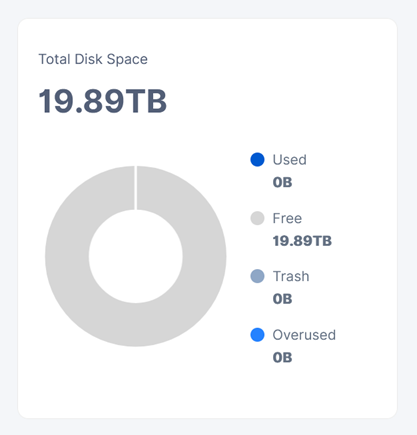
In the latest version the issue with displaying of free space has been solved:
Or do you mean that you enabled a dedicated disk feature?
In the latest version the issue with displaying of free space has been solved:
Or do you mean that you enabled a dedicated disk feature?
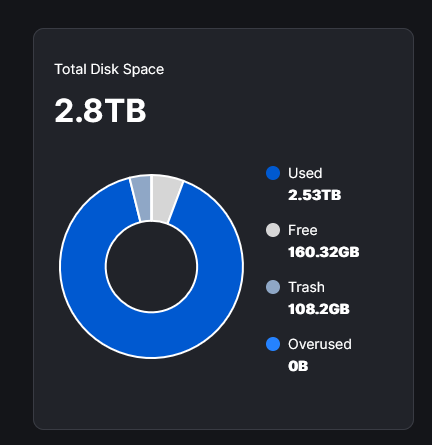
no i have not enabled dedicated disk mode yet. i see the following:
The disk won’t even fill further than this.
I left space available like we used to do in the past so … maybe the dedicated disk is something i need to enable.
This disk is just for storj, so it actually could take all space i put into the docker yaml environment variable.
or… am i stupid and do i not understand how this works?
How much space is actually used/free on the drive/partition/dataset ?
Currently Storj is unaware of the space wasted inside the hashstore, on a 3GB node, there can easily be 100GB of wasted space.
That would be great. What I see on my nodes with default hashstore settings is more like 20…40%.
I was being conservative. (Maybe too much)
WOW, 40% is high.
That’s the big caveat with hashstore. I could make compaction more aggressive but then it would likely kill my HDDs faster.
Not really. I run with 0.70 and 5, keeps the wasted space to an acceptable level, compactions are still quick - and still way less load than a filestore filewalker or delete process.
The initial compactions after making the change are lengthy though, if your worried about load, increase the fraction slowly over a couple of days/week.
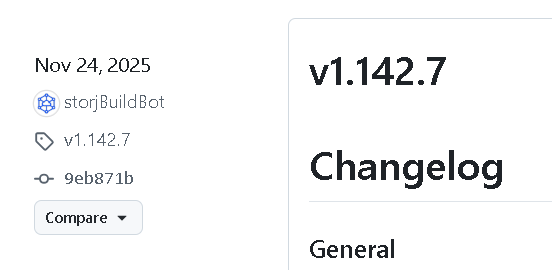
Accordingly the provided screenshot, your node is not on the version 1.143.3+, so, there is still a bug in the free space calculations.
But you can enable the dedicated disk feature, not sure, that this will fix the issue with presented free space though, but at least it shouldn’t have overused anymore.
Thanks! i’ll wait for 1.143.3+ then. and exercise having patience 
Merry Christmas! 
any update when the rollout of the newer version happens? or is it already started and am i impatient.
Usually a new version is released every two business weeks. I do not have any exact date though.
See:
Do these lines go in the config.yaml file?
Is it necessary to block out this line that was used before?
storage.allocated-disk-space: 3.00 TB
Or should I just go with the docker startup shell script route and not change my config.yaml file?
Thanks from a new node, just two days running.
Yes, I did configure these in config.yaml, but I’m not using Docker/containers but binary, so not sure how storagenode gets configured when running in container.
With dedicated disk the storage.allocated-disk-space will be ignored even if configured, you can thus comment it out or remove it with dedicated enabled.
For dedicated disk there is also a new setting storage2.monitor.reserved-bytes, which tells the storagenode to leave that much of space on the drive unused.
Hello @neosimago,
Welcome to the forum!
You may use any of these methods, just keep in mind the priority (the last one will override all previous levels):
config.yamlYes, it is working like that, it will not show the used space.
is there already an indication when we can expect the newer version being rolled out? it has been stuck for more than a month now with wrong used space graphs.
No. The new versions have changes related to hashstore, they need to be tested properly.
@Vadim reported a lot of issues, which needs to be addressed.