I have created 22 links to share them but now I cannot delete them with the new design. It asks for the name of the access key and I cannot copy it. Any ideas?
Hi @valdb
Please show the error or provide more information on exactly the steps you are trying for someone to assist.
You can right click on the access key and click inspect then expand the <span> tag. You can copy the access key from the quotes.
The simplest way is to triple click on the name of the access grant in the confirmation window and copy it to the clipboard then paste to the confirmation field
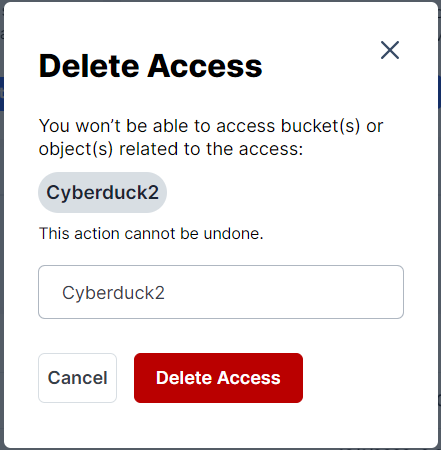
I think it would be easier to have a “copy icon” next to the access name. It will save 2 clicks per selection. OP has 22 links which means 66 clicks.
it worked. You said triple click. thnks so much
1 Like
this is not an answer for a Ui-friendly approach.
Why need customers have to do these steps you describe, instead of a simple copy option as other services do.
1 Like
I understand, that it’s not convenient. However, it’s a common practice. You will be asked to type the name of the resource in the deletion confirmation window in many cloud providers. You may check the Amazon Web Console.
2 Likes