I have struggled for over 12 hours trying to download and decrypt my own data. No one should have to struggle this much to access their own data!!
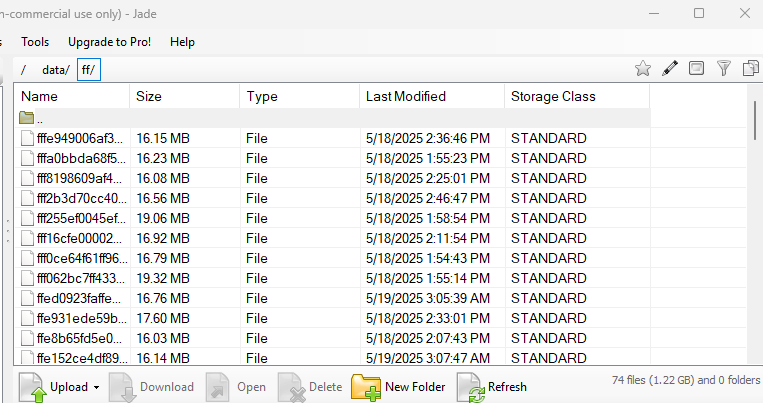
Ive tried accessing the data through multiple S3 browsers, using the same access key and secret key I used to set up the NAS to Storj connection. No matter what I do, the data comes back in hundreds of folders named “ae”, or “ba”, etc. The access grant method through Filezilla did not work either.
Seriously, what do I do here? Ive also tried the uplink method but I cant even get my Windows machine to recognize the commands to set it up, even after creating the environment variables.
Did anyone else go through this when initially setting this up, and how do you fix it?
I checked the datasets and they are shown as unencrypted. I tried to do a pull/restore from Storj last night to the NAS but the data still comes back encrypted, unfortunately.
So you can upload+download to Storj-S3 through your standalone S3 clients fine? But for files that TrueNAS has uploaded… those standalone S3 clients show that TrueNAS data as “ae/ba…” directories?
Correct, and this is what I see in S3 browser and Filezilla when using the same S3 credentials used to upload..this is what the bucket on Storj looks like
Just to make sure we’re using the same terminology: to put the files in Storj you ran a “backup” in TrueNAS. And now when you said you did a “pull test” did you do a “restore”?
It has been awhile… but I think “Cloud Sync” (using rsync underneath) can dump raw files into Storj-S3. But “TrueCloud Sync” is the backup app (using restic underneath). Both can use Storj-S3 to store their data. If you sent a backup using TrueCloud Sync… but tried to bring it back as raw files in Cloud Sync… I think you’d see what you’re seeing (the restic-named files+directories)
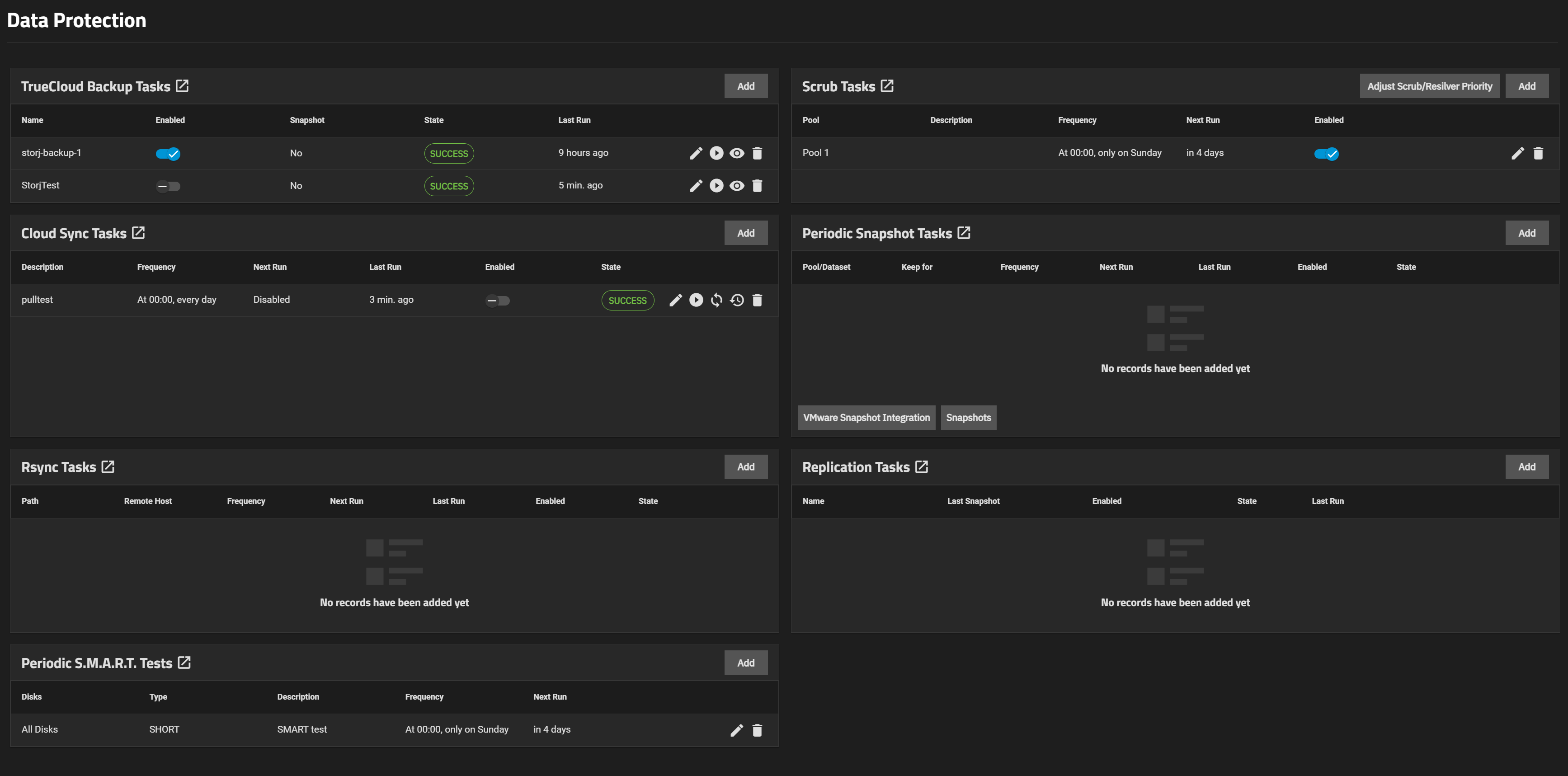
I do not see a restore option. I see a replication section, which only allows me to replicate the original dataset on the NAS, or creating local snapshots. I searched the GUI but was unable to find an option to restore files specifically.
This is what my data protection dash looks like FWIW
In case someone with the same problem finds this thread a year from now/… was it an issue of uploading through TrueCloud-Sync/backup/restic, but downloading through S3-browser/Cloud-Sync/rsync?
The TrueCloud Backup task creates the restic repository in the bucket. These snapshots can be restored as full or partially or as single files, using the “View” option (eye) on the Task or using restic (you also need to know the encryption phrase used to create this restic repository, it’s not related to a Storj encryption phrase for buckets, it’s an own additional restic encryption).
These backups cannot be restored using a Cloud Sync Task and vice versa.
Please also note, the Cloud Sync Task is not a backup, unless you also enable the object versioning in the bucket, but in that case it will grow indefinitely, because this task cannot manipulate the object versions, so you need to delete old versions manually from the bucket or use TTL.