Hi!
I’ve installed the Multinode Dashboard yesterday for the first time.
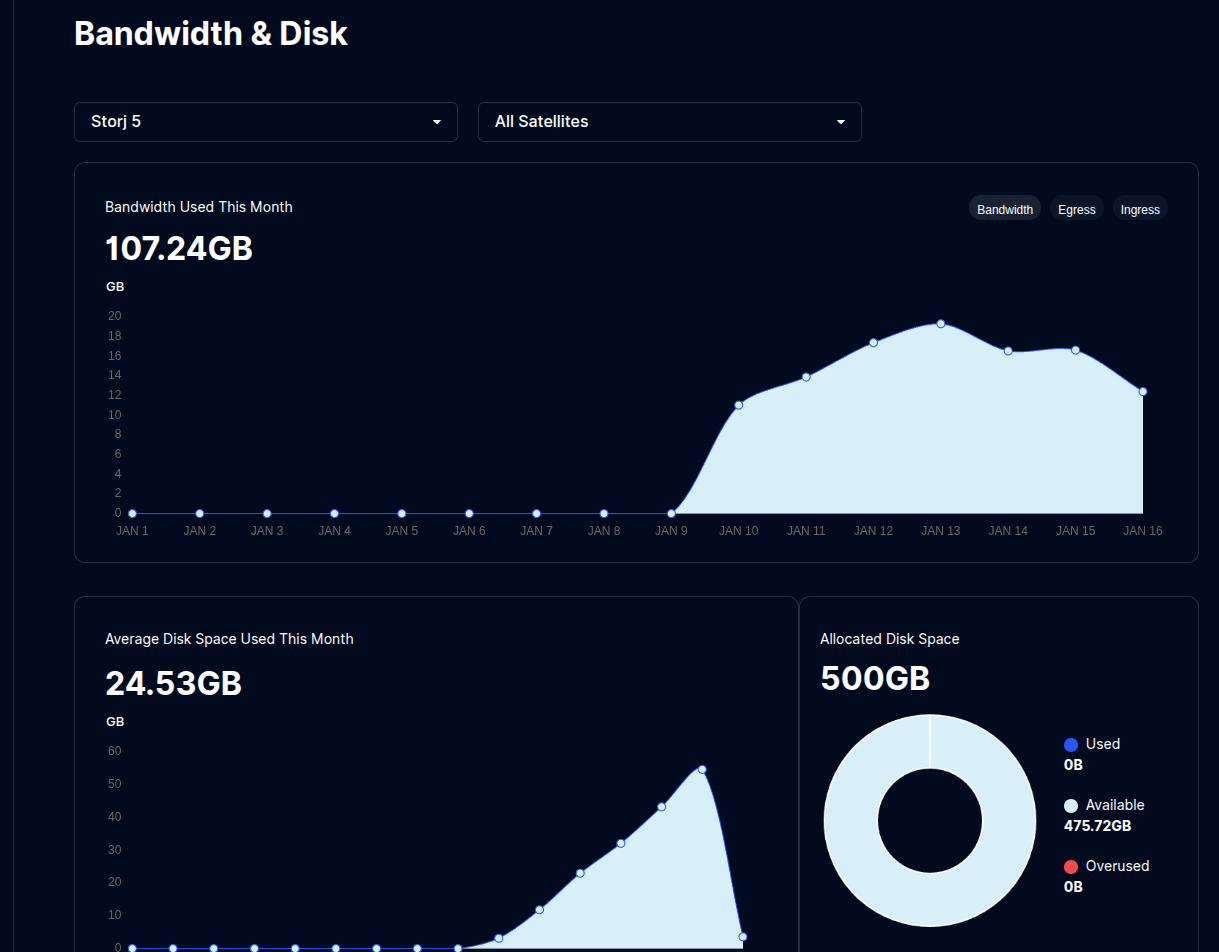
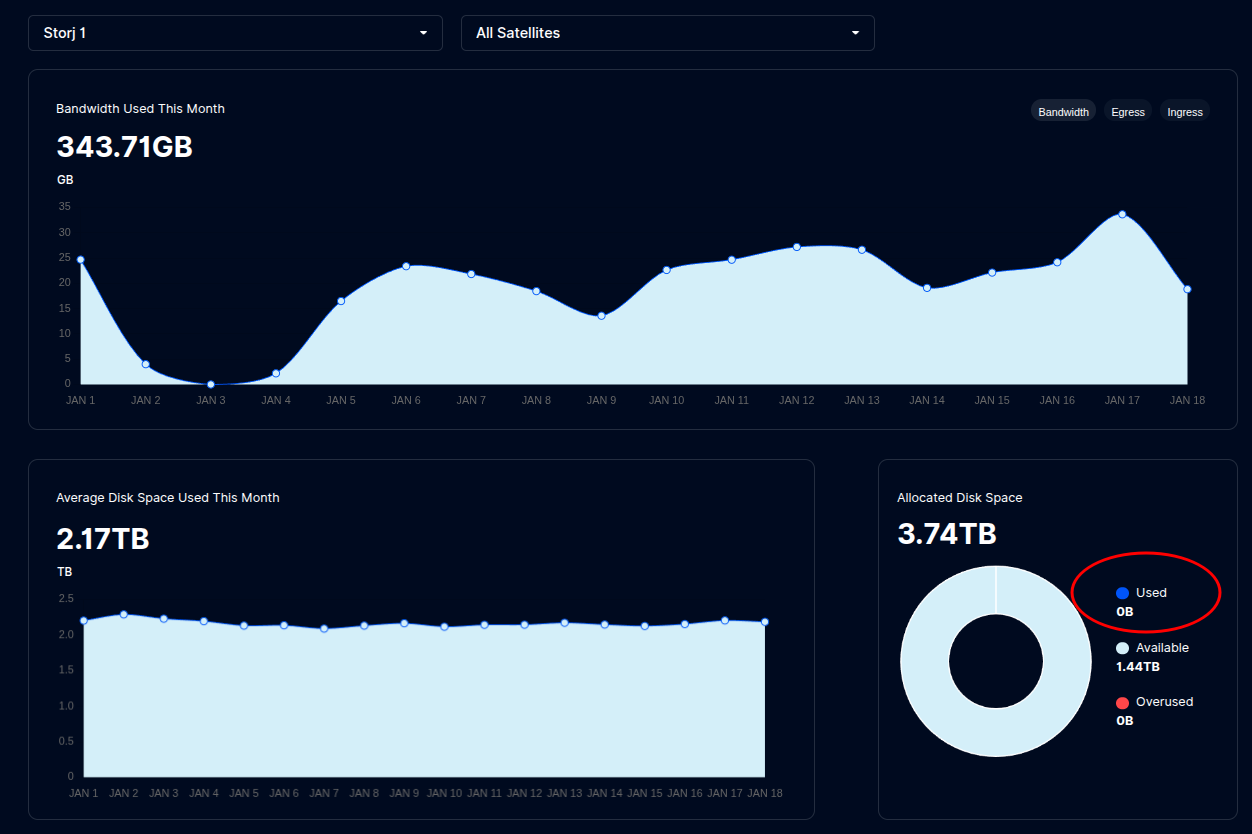
Example with one of the nodes:
Other data seems correct.
I tried to remove the used_space_per_prefix.db file while the node is stopped but it doesn’t fix the issue.
How can I fix it?
Thanks!
Vadim
January 16, 2026, 5:33pm
2
did you used dedicated disk feature?
I have the same problem, I think it’s due to the fact that the nodes are stuck at version 1.142 and the multinode is the latest
I wasn’t aware of this feature.
I’ve found that in the forum:
Hi all,
I’m wondering if anyone can provide information around dedicated disk / setup,
what counts as a dedicated disk / what doesn’t
changes needed to the docker run?
can be implemented on already running nodes not having dedicated disk enabled ?
can dedicated disk be reversed?
Pros/Cons …
Thanks in advance !
Is there a way to enable it on the Docker-compose side, instead of editing the config.yaml?
Alexey
January 17, 2026, 1:46am
5
Yes
services:
  Node1:
....
    command: --storage2.monitor.dedicated-disk=true
If you go to dedicated disk it will always show 0. That is why it was asked
Oh ok, thanks. So that’s not what I want lol
Alexey
January 18, 2026, 12:51am
8
If you use a piecestore backend (it’s enabled by default), then you need not only stop the container, but also remove it, then delete the prefixes database and run the container back.
Then you need to wait until the filewalker will finish the scan, it should update all storage metrics.
It still doesn’t work for me. I stopped my node, deleted it (sudo docker rm <container_name>) but still doesn’t work.
Maybe my setup is wrong. Here is how I did it:
Create the identity
identity create multinode --difficulty 1
Then, moved all the content of identity folder to my app folder:
cp ~/.local/share/storj/identity/multinode/* ~/app/multinode/identity/
Setup the multinode
sudo docker run --rm -e SETUP="true" \
     --user $(id -u):$(id -g)\
     --mount type=bind,source=/home/user/app/multinode/identity,destination=/app/identity \
     --mount type=bind,source=/home/user/app/multinode/config,destination=/app/config \
     --name multinode storjlabs/multinode:latest
Run the multinode
sudo docker run -d --restart unless-stopped --stop-timeout 300 \
-p 15002:15002 \
--user $(id -u):$(id -g) \
--mount type=bind,source=/home/user/app/multinode/identity,destination=/app/identity \
--mount type=bind,source=/home/user/app/multinode/config,destination=/app/config \
--name multinode storjlabs/multinode:latest
Add a node
sudo docker exec -it storj1 /app/bin/storagenode info --config-dir config --identity-dir identity --log.output stdout
Add the node through the GUI
The dashbaord still doesn’t display used space:
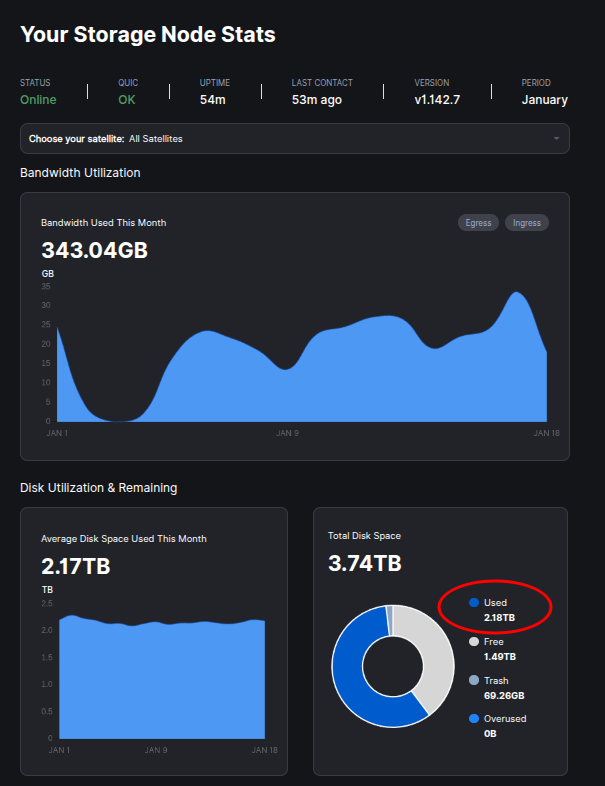
But the individual dashboard is OK:
What is wrong with my setup?
Oh, sorry, I missed this message.
Thanks!