You are giving them too much credit. Calling this dumb implies they did not know what they were doing. But they were not being stupid. They were being greedy. And arrogant. They thought they could pull off the closed ecosystem, like big boys.
So it wasn’t a policy failure. It was execution failure, fueled by their sheer arrogance and lack of touch with reality. They bit more than they could chew and now they had to publicly spit it out.
They tried to be Dell or Apple but everyone just shrugged and reached for a screw driver.
What a pathetic bullshit. Oh how I despise this company…
And these days I can’t open YouTube without some influencer reviewing yet-another-NAS from yet-another-company. I don’t think they’ve ever had more competition in the SMB and homelab/consumer markets…
I call it dumb, because it cost them a lot more than they could predicted. Everyone looked for alternatives and discovered that, actualy, Synology isn’t the only one making NASes.
They die not only discover other NAS brand, they discovered, that other were better for less money. And this hit them even harder. And it fueled the NAS market too.
I for myself switch from Synology to Truenas and am more happy with that. Plus I can do with the system what I want and don’t have a weird own linuxy-thing, that has all the time hard security problems
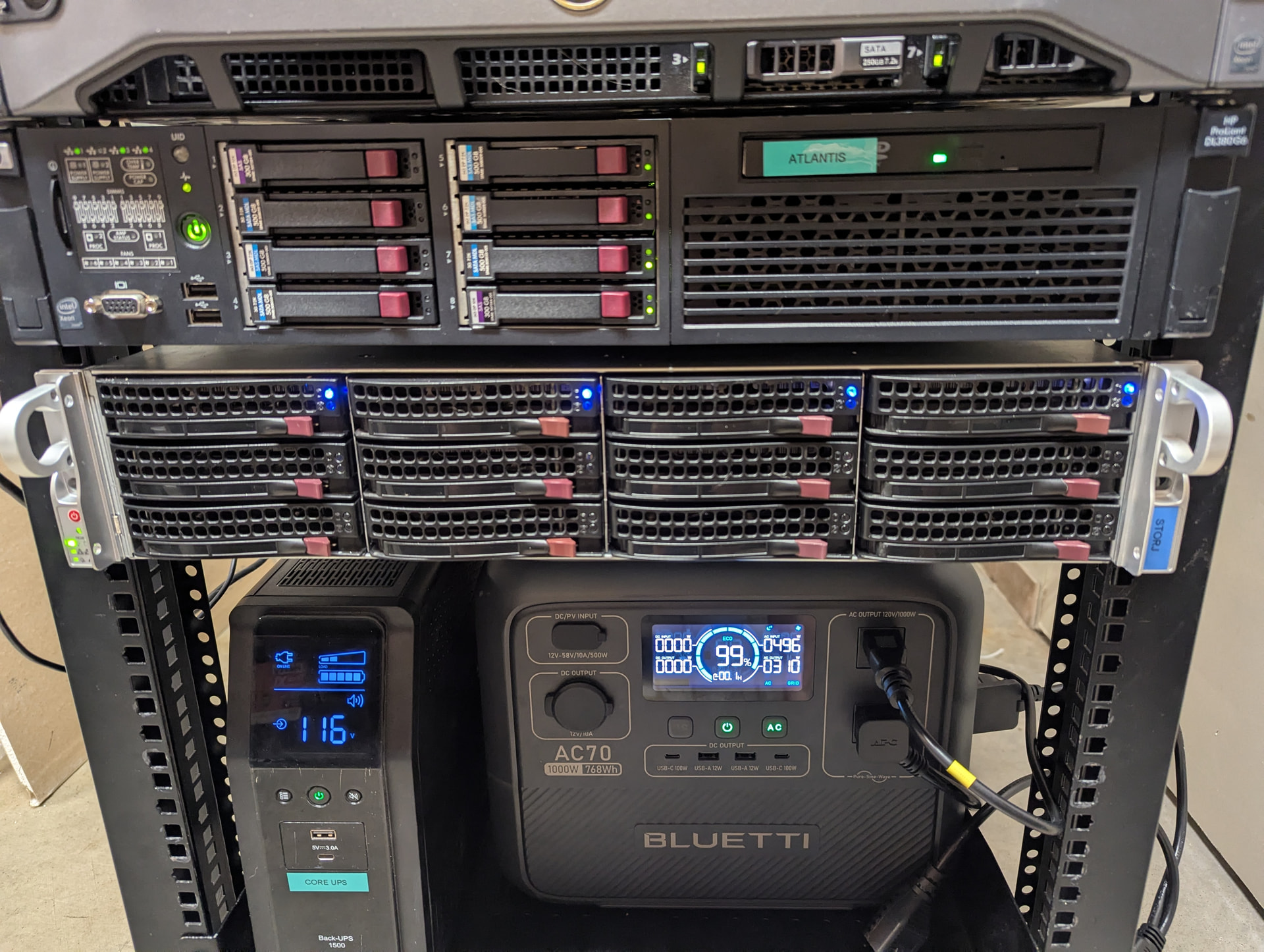
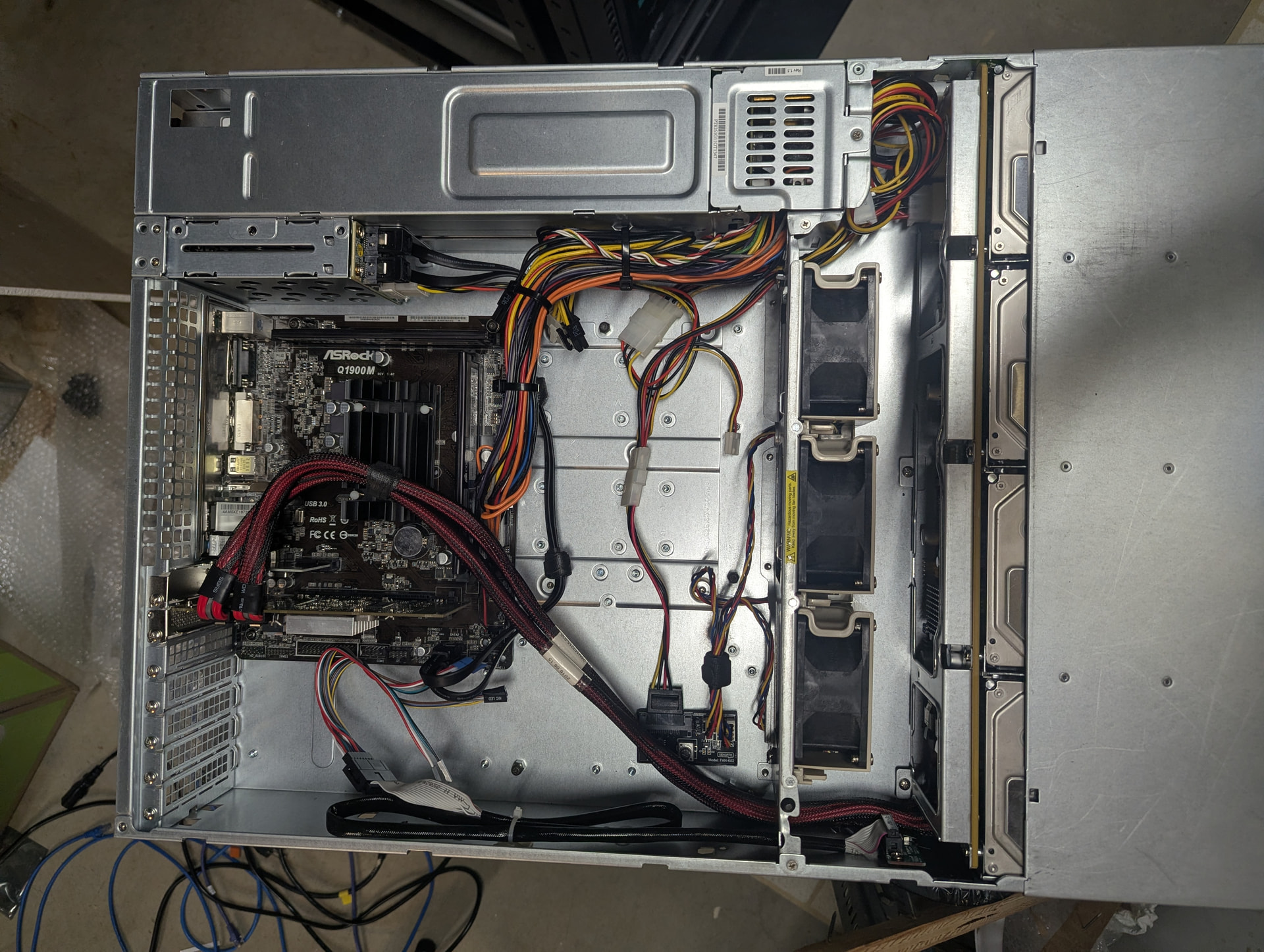
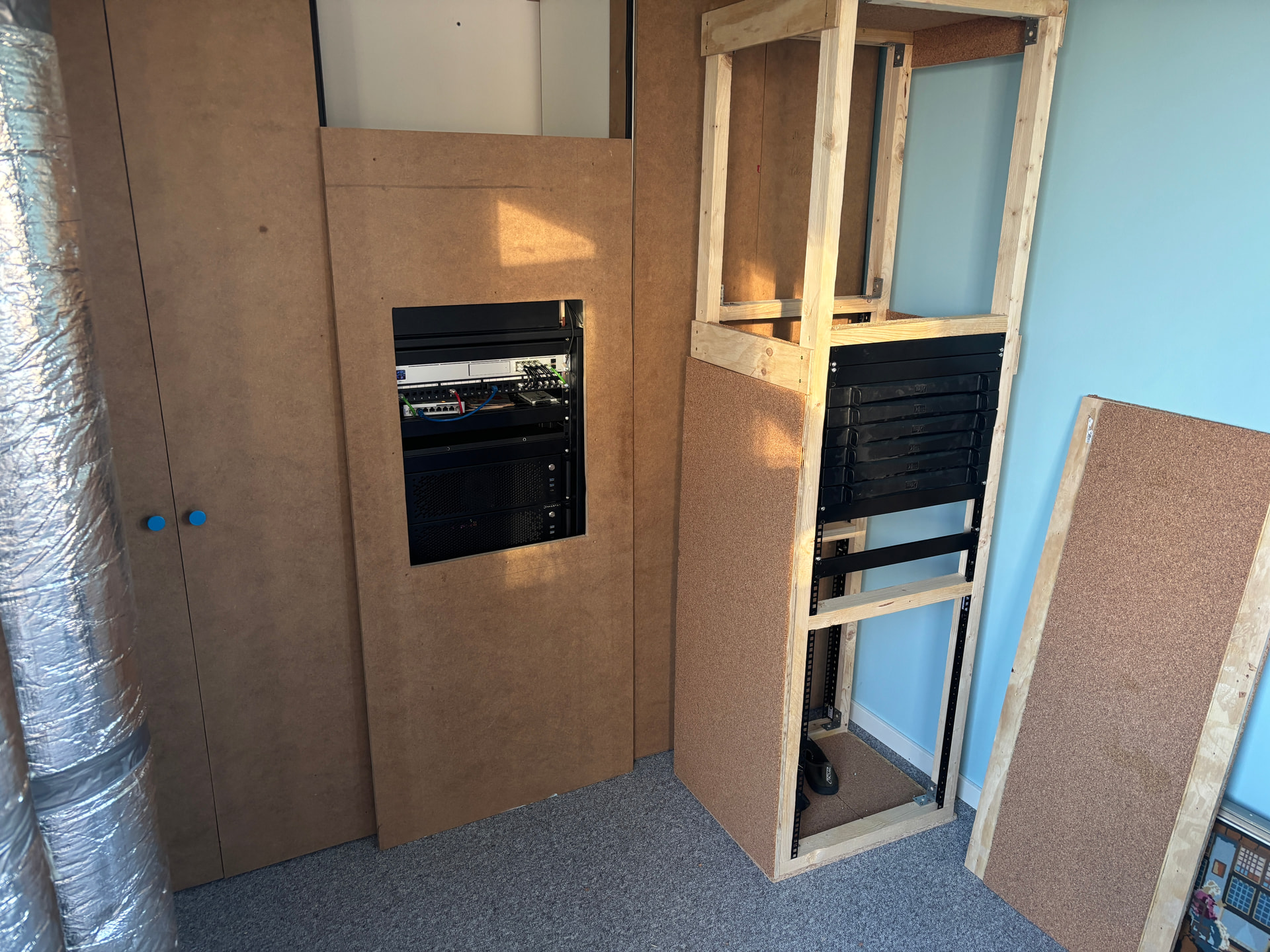
It’s not much, but except for the case it’s all hardware I had already on hand. The case was an excellent Ebay find, otherwise the hacked together desktop case would be its home still. (It’s the 12 bay Supermicro case in the photos).
Celeron J1900 / 8 GB RAM - Lowest power parts I had on hand, but so far keeping up without much issue. Load averages of around 1 even with 13 node processes running. If that changes, we’ll replace the board.
LSI HBA - Targeted SAS because reasons below.
4x 3TB 7.2K SAS Drives
8x 1TB 7.2 SATA Drives
1x ~3TB iSCSI node with storage backed by my main NAS.
Cheap SSD for the OS, running Debian 13.
Overall, about 100 watts of power draw for the dedicated machine, which at my electric rate translates to about $5-6 per month. Excluding the held amount since the nodes are still fairly new, this machine is already covering its own power cost at only about 20% full.
My main NAS runs those 3TB 7.2K SAS drives since they’re pretty cheap for used pulls. I may replace some of those drives with higher capacity drives, and I chose SAS for this build because I could use those drives again here. Used, lower capacity SAS drives are pretty cheap and so far have been a decent path forward for my normal storage needs (nothing super crazy there).
I do have some unused capacity on my NAS, so I do run one node over iSCSI. I keep my NAS strictly doing storage, and this keeps any public facing process like Storj a step away from other datasets. So far I haven’t seen any major issues with iSCSI and Hashstore; a bit more latency on disk access but the acceptance rates have been inline with the physical disks in the node.
They work and I haven’t outgrown them, so there’s not a ton of incentive to replace them outside power cost. That’s changing a bit as electric rates go up, but they still provide more value than they cost to run so for now their kept out of the museum.
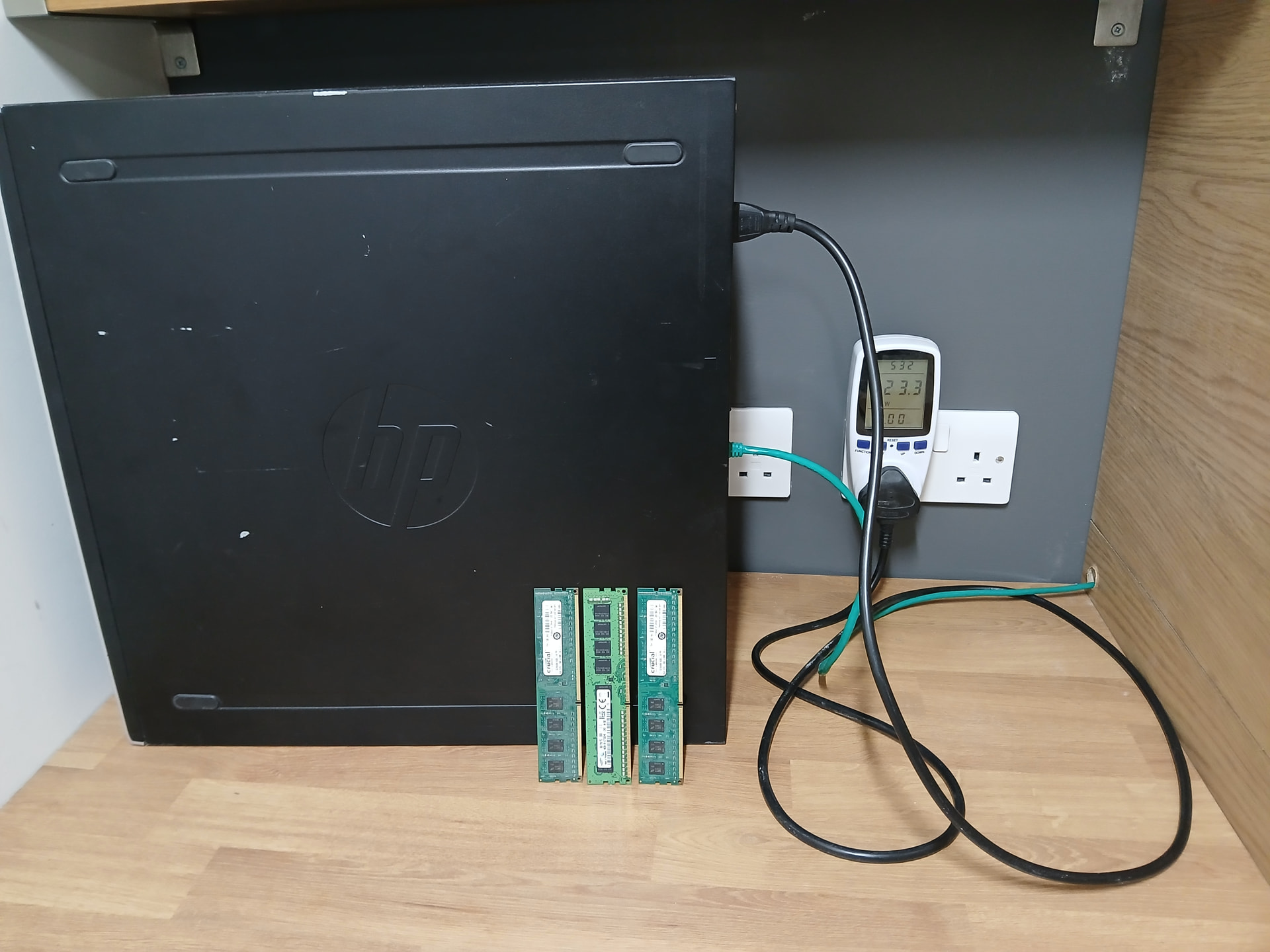
Those are 8GB so I think they use 2 or 3 watts each. I also unplugged the keyboard and mouse to shave another half watt.
The power meter in the picture showed only 2 watts saving total
No, they are around 1W idle. But no need to guess, measure. PCM tools show it.
Besides ram, likely you have some low hanging fruits you can optimize to shave off some power — defaults seems to tend to optimize performance, not what you want in a low power home server.
What processor is this and what OS?
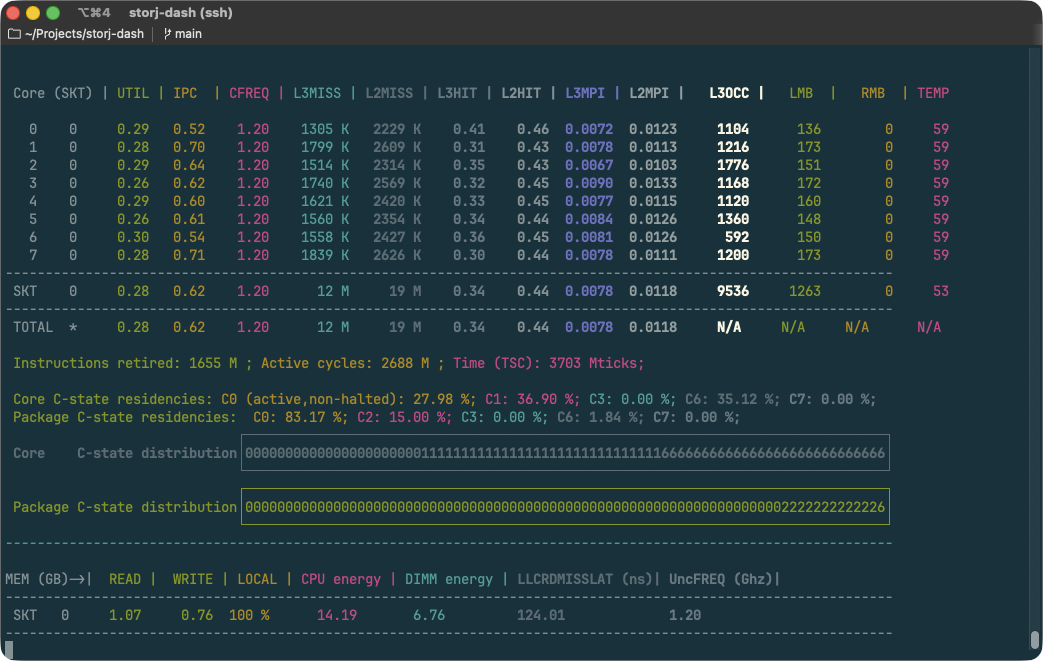
Download Intel PCM tools, and when the system is in the state it spends most of the time (I.e. no scrub in progress, no backups running, etc) run pcm utility
The most of power optimization comes from package power off time. Package cannot sleep if there are tons of interrupts. For me network adapter was very noisy so I had to coalesce its interrupts, this alone improved C-state package residency by about 20%
Tell me your power configuration in bios — are these on or off
Important bits to pay attention to:
CREQ – ensure it’s not running on high frequency, albeit there can be case when it’s better to run at max frequency if it allows to go to sleep sooner. But for storj workload this is rarely the case.
CPU energy, in joules (if refresh rate is 1 sec, you get watts value)
DIMM energy,
Cores and package C-state residencies (the less time they spent in C0 the better.