Second node issue: Peer ID did not match requested ID

Hello community,

I am trying to set up a new node (storagenode16T) on my server, but I keep getting the following error in the logs:

rpc: tls peer certificate verification: tlsopts: peer ID did not match requested ID

Here is the exact procedure I followed:

  1. I created the identity with:

identity create storagenode

  1. This generated the 4 files: ca.cert, ca.key, identity.cert, and identity.key.
  2. Then I executed the setup command as root, pointing to the exact location of the credentials (same way I did with my first node, which is still working fine):

sudo docker run --rm -e SETUP=“true” \
–user $(id -u):$(id -g) \
–mount type=bind,source=/home/giga/.local/share/storj/identity/storagenode16T,destination=/app/identity \
–mount type=bind,source=/media/giga/DATA16,destination=/app/config \
–name storagenode16T storjlabs/storagenode:latest
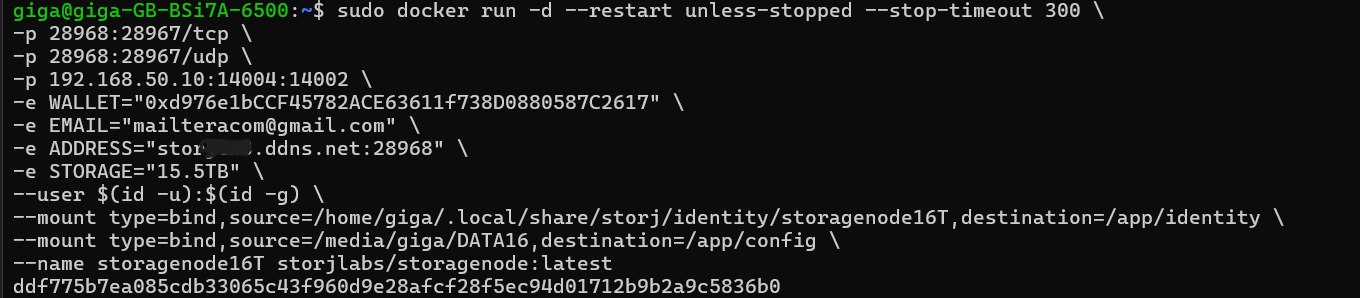
 * After this ran successfully, I saw that the new disk automatically created the folders and files required for the node to function.
3. Then I started the container with:

sudo docker run -d --restart unless-stopped --stop-timeout 300 \
-p 28968:28967/tcp \
-p 28968:28967/udp \
-p 192.168.50.10:14004:14002 \
-e WALLET=“0xd976e1bCCF45782ACE63611f738D0880587C2617” \
-e EMAIL="mailteracom@gmail.com" \
-e ADDRESS=“storjtnxxx.ddns.net:28968” \
-e STORAGE=“15.5TB” \
–user $(id -u):$(id -g) \
–mount type=bind,source=/home/giga/.local/share/storj/identity/storagenode16T,destination=/app/identity \
–mount type=bind,source=/media/giga/DATA16,destination=/app/config \
–name storagenode16T storjlabs/storagenode:latest

 * Running sudo docker ps shows the container is up and running, but when I check the logs with:

sudo docker logs storagenode16T --tail 50 -f
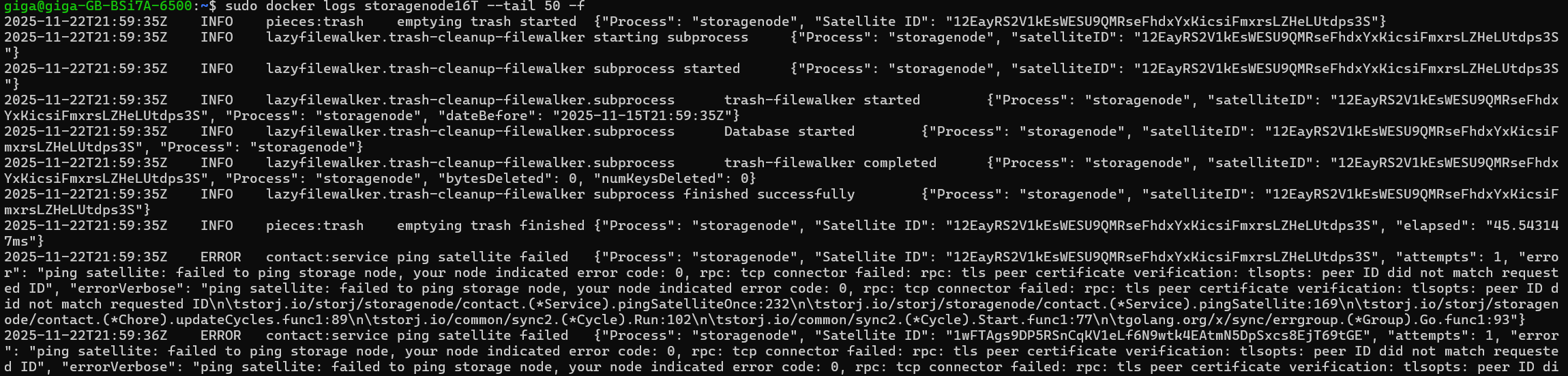
  1. I get the certificate error mentioned above.

Additional details:

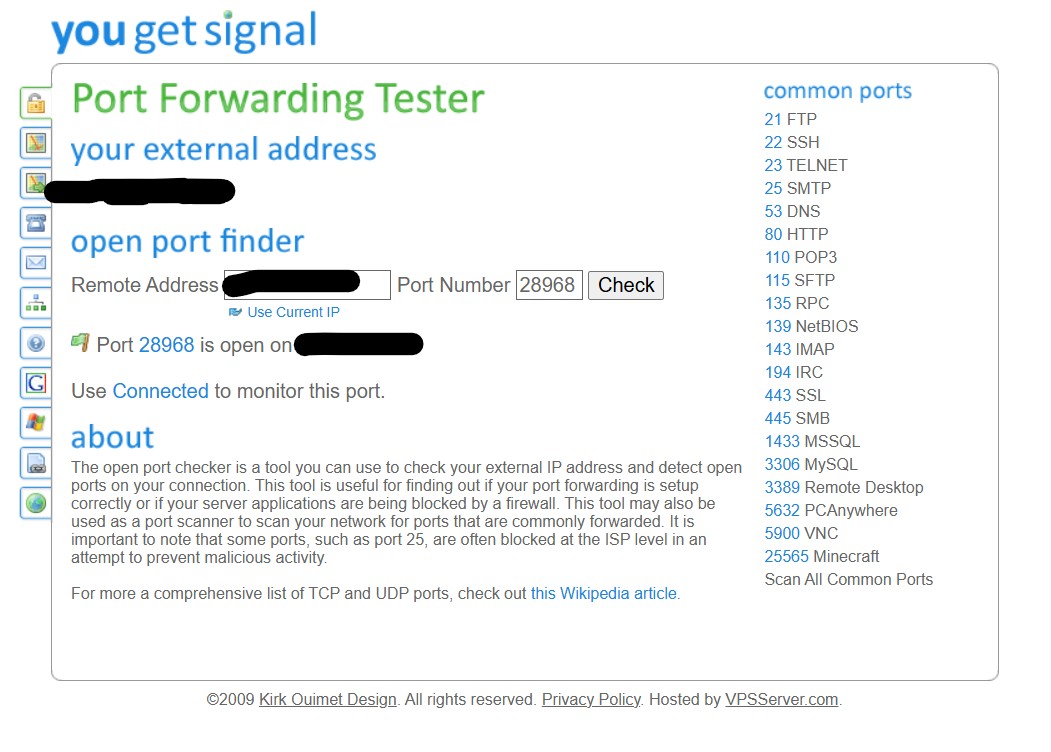
  • Router port 28968 is open and forwarded correctly.
  • I created a new account in No-IP and it is working.
  • My first node (storagenode2) is still running fine on the same server.

I am not sure what is wrong with my second node. According to Copilot, it looks like a credential/identity issue, but I am not an expert and would appreciate guidance from the community.
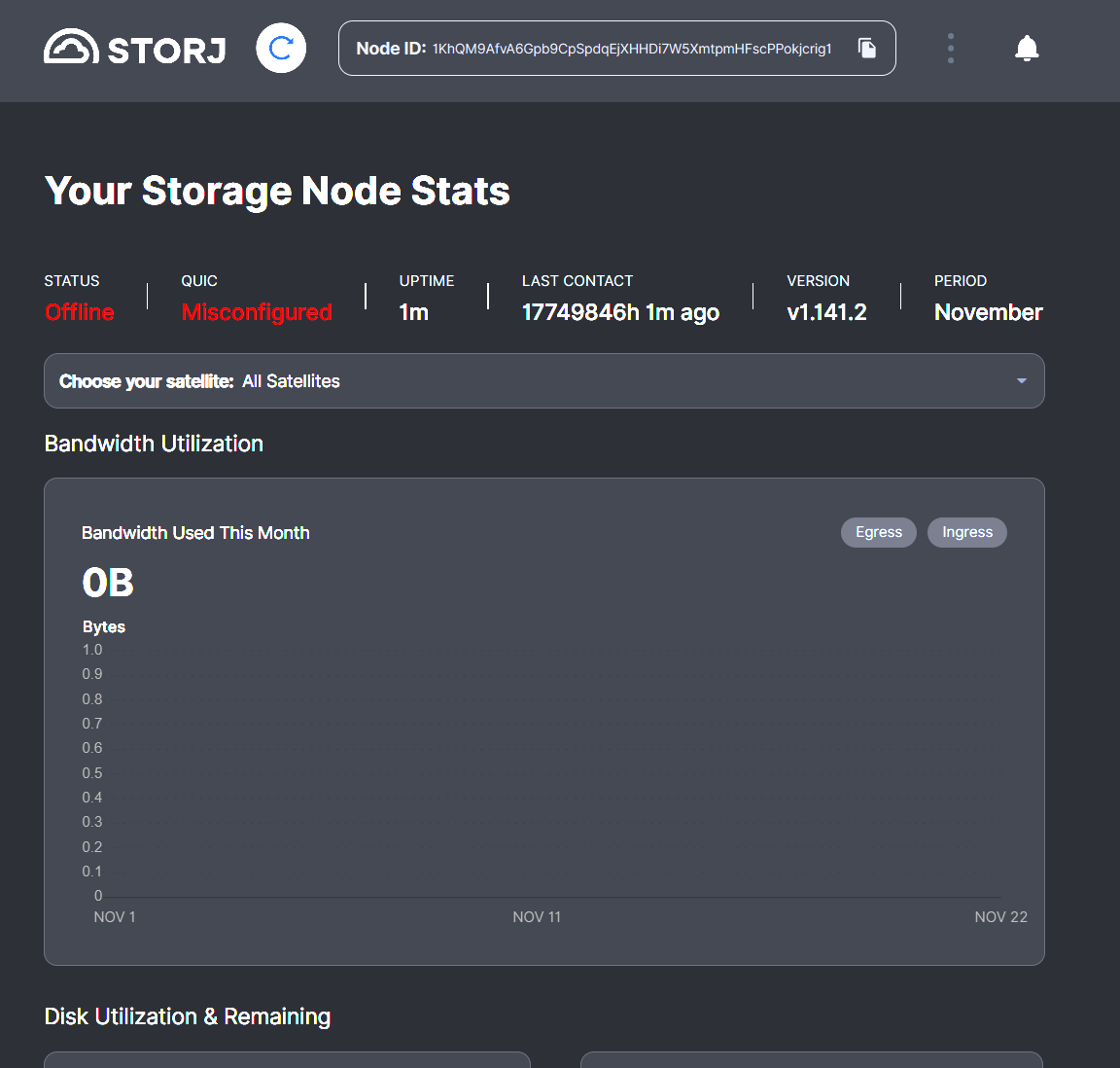
Thanks in advance for your help!

Wasn’t port 28968 already used for your second node from other thread? :thinking:
Each node needs a unique external port, please check this.

1 Like

I had the same error when I used the same port for two nodes. Please confirm that you have set the right port and that the desired node gets the right traffic

1 Like

The name “storagenode” here is matching the folder, where the identity will be created, so if you create a second identity you need either use a different name or move a previously generated identity from that folder before trying to generate a new one with the same name.
By the way, it’s advisable to move the identity to the disk with its data to do not confuse nodes or do not lose the node, if your home folder will be cleared for any reason: the identity and its data cannot be used without each other anyway.

On the first node I used port 28967 and it’s working, on the second node which is the one I’m having problems I’m using 28968.

How about server internal address? Is this set to 28967 in config file?

# public address to listen on
server.address: :28967

Are you referring to this one?
-p 28968:28967/tcp
-p 28968:28967/udp \

Default for server.address is :7777. So it must be set either in config file or docker run command.

No, the setting @alpharabbit is referring to, is located in config.xml file.

Please make sure that these nodes have different NodeIDs.

The config file will be created with the first run, and it will have this value:

I wonder why 28967 is not the default? Help output is confusing when 28967 is used in setup command and tutorials.

     --server.address string                                    public address to listen on (default ":7777")

It’s a new node. Your config all looks correct. So, it should run. Maybe remove contents of config directory and delete identity, start again.

I would do as @Alexey mentioned and store identity on same HDD as data, on your system, create folder “/media/giga/DATA16/config” and “/media/giga/DATA16/identity”. And update your docker commands to suit.

Create a new identity, copy the files into “/media/giga/DATA16/identity”.

Modify the docker commands to suit new folders.

You can also debug identity related issues with storj-id binary:

It accepts both urls (like storj-id localhost:29867) and cert files (like storj-id identity.cert).

The output of the two should be the same, if you use the right identity.

(it prints out the id in multiple format bu default, check the nodeid line)

1 Like