I have allocated all the space on that LV to storj files and don’t want to interfere with that. I want to just trash all logs. If something is wrong with the node after 5 years I doubt I am going to troubleshoot it and just dump the node and build fresh. Outside of this drive issue the node itself just runs…
I don’t know historically where the root file usage has been so not sure if something new is filling it or if 5 years of storj logs just need to be deleted. I have not done anything with log rotation. I can’t seem to get ncdu installed to tell what is taking up the space but if I can be guided to a file/directory and clean it out and the % drops 30 then yep that was it…
Could you try these commands:
cd /tmp/
wget http://ftp.de.debian.org/debian/pool/main/n/ncdu/ncdu_1.13-1+b1_amd64.deb
sudo dpkg -i ncdu_1.13-1+b1_amd64.deb
If any of these step fail, you could take a picture and we could continue to help.
ncdu -x / would be better.
TIL, but I just remember, ncdu can’t distinguish if someone use mount --bind, but in most case it would be useful though…
It says I don’t have the dependencies and i tried to do apt-get on them and they also fail because it is old os. I would also need to manually install libc6, libncrursesw6, libtinfo6
Thanks for the info, silly me, you can download static binary from the creator himself NCurses Disk Usage
Try these command:
cd /tmp
wget https://dev.yorhel.nl/download/ncdu-2.4-linux-x86_64.tar.gz
tar -xvf ncdu-2.4-linux-x86_64.tar.gz
./ncdu -x /
You mean du -ha / | sort -hr | head -n 20 did not work?
Then you did something wrong. When I run it it shows me the 20 largest files and folders nicely ordered by size. Please post your output.
Anyway there is a Docker option that you could use in case the Docker logs are filling up your space. I have this in my run command for my node:
	--log-driver local \
	--log-opt mode=non-blocking \
	--log-opt max-size=100m \
	--log-opt max-file=4 \
	--log-opt compress=false \
I can’t remember if log driver and mode are required. But you can see as it is self-explanatory log size gets limited to 100MB and max 4 files will be kept.
You could try also compress true. I don’t know how efficient it is or if it would work at all.
I wonder if the Docker logs are your issue. When you stop and remove the node containers the Docker logs should vanish and the space should be available then. Maybe you want to check this too.
By default it’s handled by docker. So, if you removed the container, the logs will be removed with it.
how do I apply this for docker copmose in the .yaml? My nodes filling up my drive slow and steady, so I have to delete the Storj logs after a month or so manually.
I have no idea sorry. I don’t use docker compose.
I am sure somebody else can help with this.
I let it run for 30 mins and it returned nothing so i ctl+c’d it. I can try again today and just let it run while I work
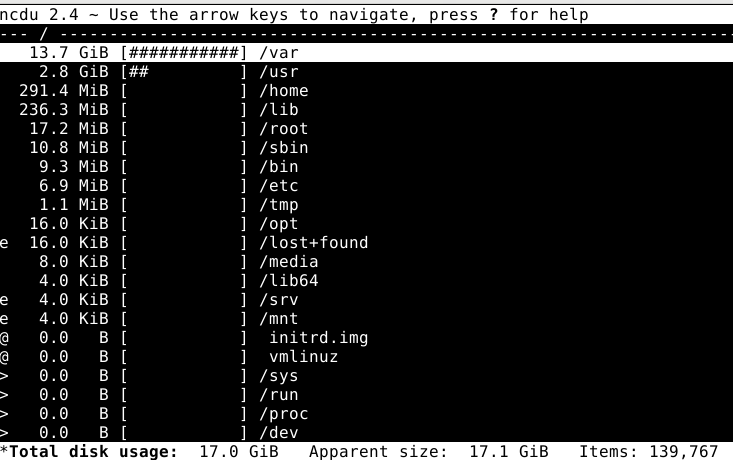
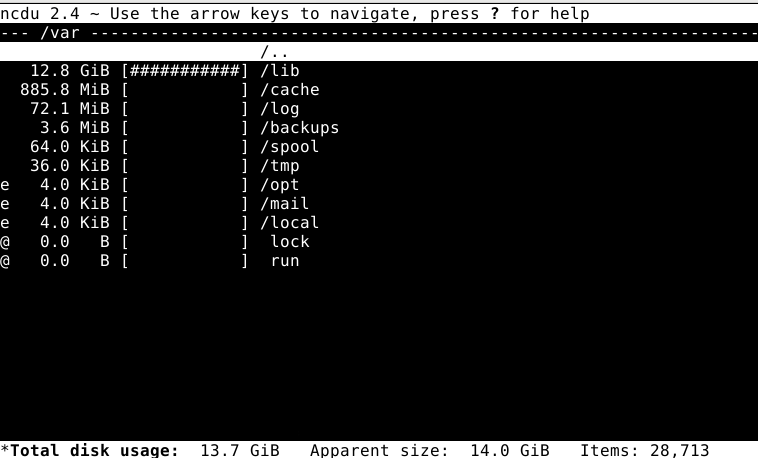
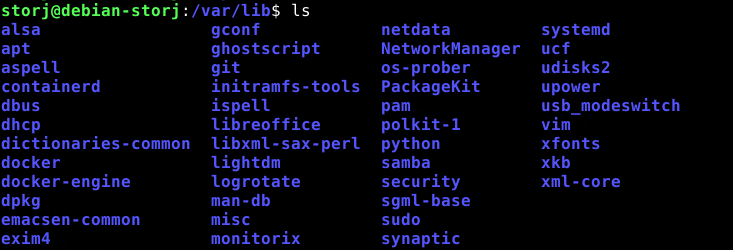
I’m done my job here, you go into /var/lib and see what take space that you could save here, good luck!
If you use ncdu now, no need to run it again.
But I think it is clear now where your space went.
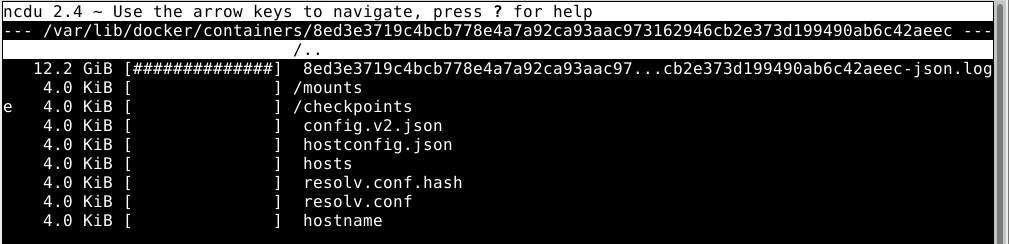
Can I clean that up without impacting my node?
@Alexey Is this now the part where I stop the node, change the log location, purge the dockers, and then set it up to auto delete the logs?
@Alexey Now that we have identified that it is the Storj log file in the docker folder that is very large. Is there a way to purge those logs?
I have stopped, removed, and started the node several time in the past couple months yet the log file is still massive (prob holding 5 years worth of logs or something).
Can you look with “tail” what the last lines of the log file are? Maybe it’s not the one currently in use and rather from an old image. Then follow this to prune dangling images
If it’s the currently used log file, then empty it with “echo > /path/to/logfile”
Logrotate is a standard tool for that in Linux.
If storagenode container does not include it internally, you can always create your own image from storagenode’s and add it, (or map the service config and binaries into the image)