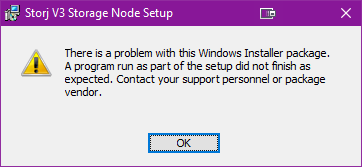
Thank you for your help.
The error is still there
Whether 192.168.1.20:28967 is correct?
Does the installer check the router configuration during installation?
Maybe this is the problem?
I see a lot of complains that 'system cannot find path y:\…
Is it network drive? How it’s mapped? Is it mapped for the user under which service runs? Not sure how storj works on windows, but if it’s normal windows service and if it runs under local system account, this account does not have rights to network (if I remember well)
For the external address it’s not correct, you must provide a public IP with a port or a DDNS hostname with the port.
Your current public IP you can see there: Open Port Check Tool - Test Port Forwarding on Your Router, then you will need to make a port forwarding rules on your router to the local IP of your PC. The local IP of your PC should be static (you can do it in the DHCP section of your router). Some routers are able to select your PC in the port forwarding rule, then it will work even after your PC would be rebooted.
You should check, that IP from yougetsingal is matching the WAN IP on your router, otherwise the port forwarding rule will not work.
See also
This is the least of your worries, as StorageNode doesn’t support any network file systems. They might work, but they’re neither supported nor recommended, so you’ll eventually run into problems. See smb and nfs. The only network storage that works properly is iSCSI-attached storage.
But I would recommend to run the node on your fileserver instead. And please avoid using a combination of a Linux hypervisor and Windows OS, so please do not use VMs. If you have a Linux host, then it’s better to run a docker container directly on the Linux host, see
Yeah, don’t try that. That is your failure point…an MSI install checks, and will not accept your data drive being a mapped network drive. Period.
You can load a .VHD/VHDX from a mapped drive or URL network (WAN or LAN) location or local file because, once mounted, it’s considered a proper local ‘device.’ However, that’s not exactly an efficient resource use, but will work depending on underlying hardware/network capability relatively well.
You could also just recreate the proper environment for Storj manually, and not use the installer; make your own install/config & create a service youself, mirroring and adjusting a proper working install.