Substantive Egress last ~48+ hours

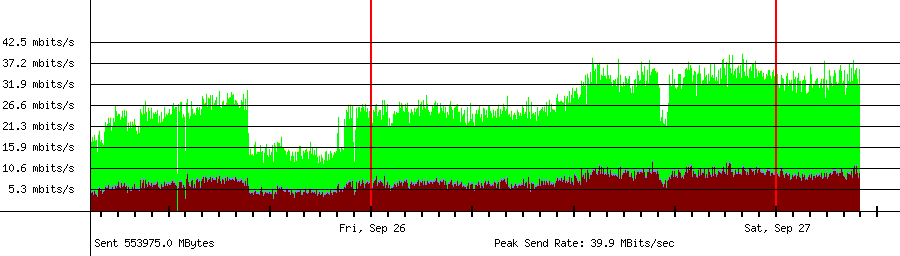
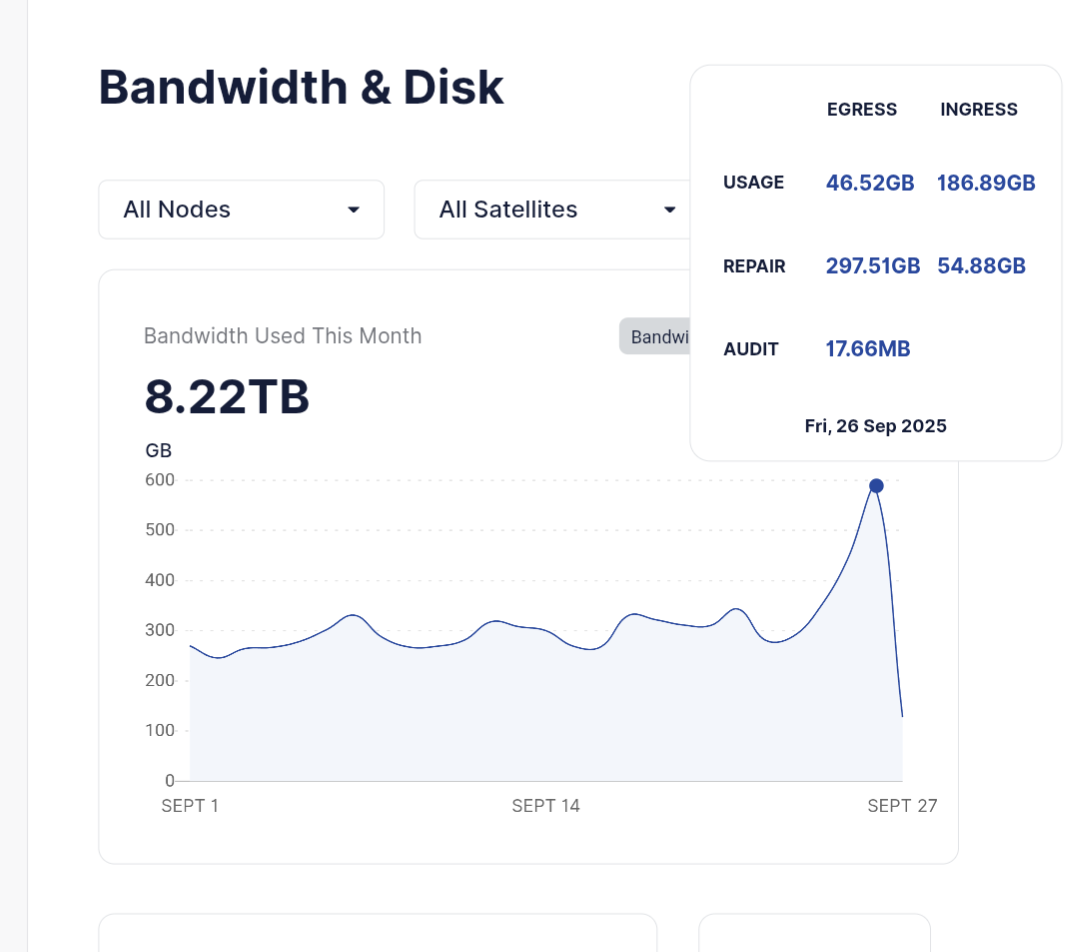
I guess it’s about 6x normal b/w at the moment, over the course of the last two days.
All the while ingress is slightly elevated.
All this egress will push some nodes over $30 this month.

I wonder if there will be large subsequent deletion soon…hurmmm.

Share your thoughts, and or please confirm - I think we’d all like more egress. :slight_smile:

2 cents,
Julio

1 Like

I see my internet lines at the limit but for some reason nodes are not reporting that egress. No idea what’s going on… :thinking:

1 Like

Yeah some wild things are going on here:

But for me, egress is reported normal:

Edit: could it maybe have something to do with this?:

1 Like

The repair traffic maybe would be higher and I would expect that it is used to provide a Production Cloud service (we need to have pieces available globally, not only close to the uploader).

Regarding report, I would ask the team, maybe some stat is missing.

To a poor potato SNO this feels very much like the stress test we had a year ago. But this time it is for egress not ingress.

But if everyone has so much egress, who receives all that ingress? I have about 6x more egress than I receive

Egress doesn’t have to be tied to ingress. I do video editing, so I upload the file once but then read it many times.

Yeah, but you received the data that I send to you. You don’t send out things to the Internet for nothing. Someone has the gat that data. Especially if it’s repair traffic.

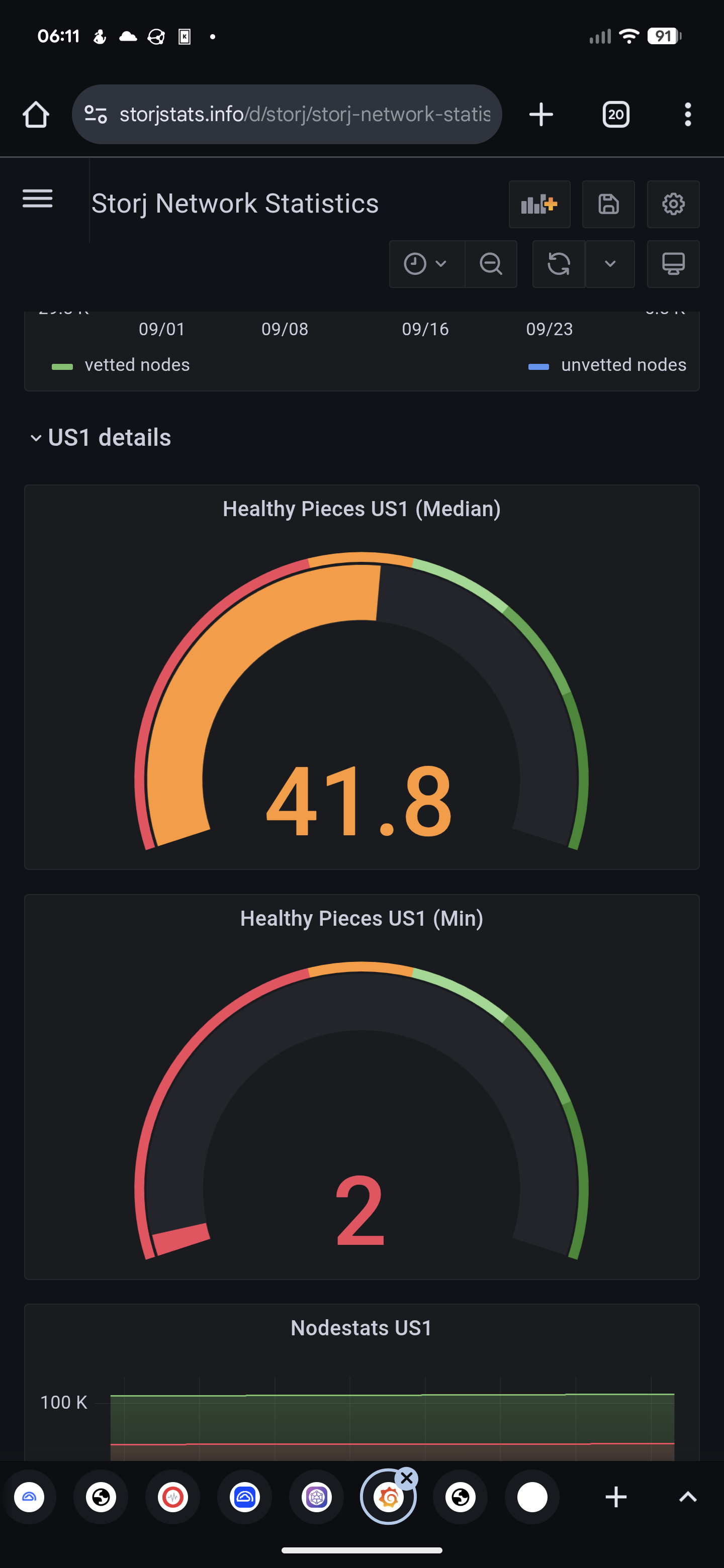
Dont worry, they are just changing k+m

2 Likes

sometimes you get a “lucky piece” on one node and it gets a tone of egress.

if it’s across the board then yeah it could be the increase in egress traffic by storj to increase the data multiplication factor.

Maybe it’s a migration to Storj Select…

2 Likes

What is the reason for only showing in the router but not in node stats? Is migration traffic to production cloud and/or select unpaid?

I thought migration from global to select wasn’t possible? If I remember correctly, you had to create a new bucket download all and upload it again?

What do you mean with only showing in the router? My node dashboard clearly shows the upload as repair egress? Or do you mean something else?

This is my Dashboeard from yesterday:

today looks somewhat the same at the moment

1 Like

If just a single node is crazy..

The problem was selfmade, just a bug in my dashboard code. :sweat_smile:

Now I see 2.3 TB egress for today which is inline with my router stats. :money_mouth_face:

2 Likes

I noticed the same, I opened a thread about this. My guess at the moment is, that the dashboard only measures successfull uploads, without TCP overhead etc. but the router will measure everything for example failed uploads, partially uploaded files, and also the TCP overhead. That could be the reason.

2 Likes

Or a more realistic case if you also have a bug or a database corruption.
I would exclude this first. The reliable metric would be only the stat after payout, when all data is settled and your node will receive a receipt in the first two weeks of the next month.
You need to take a snapshot of the bandwidth usage on the dashboard (both graphs and also a table) in the last day of the current month, then compare it with the usage for the current month in the next month, when the payout will be completed.
You also need to take a snapshot from your router usage (but it can be useful only if there is no other internet consumers except nodes).

You may also use Earnings calculator (Detailed earnings info and health status of your node, including vetting progress and garbage collection status), but please note - the estimation will be replaced with a real usage, when your node will receive a receipt.

Thanks for the input gentlemen.
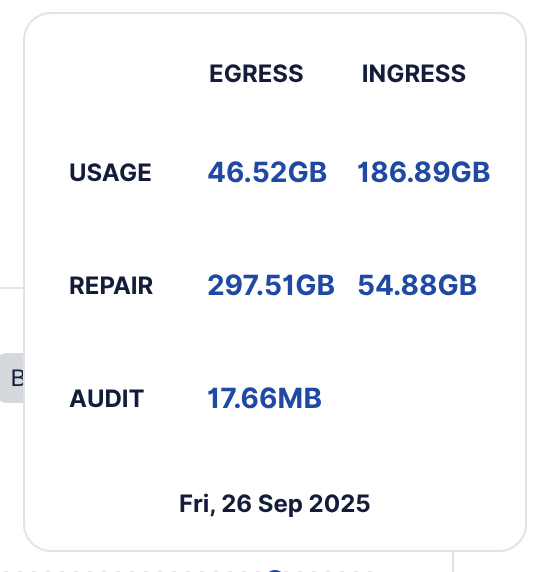
I concur, it seems it’s primarily repair egress.
And yeah, a TB+ day here too.
This should pad the end of month earnings to match the previous month; despite the total disk deletions lately.

2 cents,
Julio

Same thing here. Im seeing repair egress 2-3x more than usual traffic per day.

Find the IP address where the outgoing connection is made. Find its owner. And here you go…