I am willing to change filestore.write-buffer-size: 1 MiB
this is download buffer, before it write to temp HDD location this piece.
So question to storj Team what is statistically most used piece size?
I have enough of RAM and after Elek fix of ram usage, there is lot of not used.
So I would like to put this size that there is less temporary write to HDD.
Satellites operates with segments, not pieces. The piece size you can see on your node.
# Define the path to the folder
$FolderPath = "C:\Path\To\Your\Folder"

# Get all files recursively within the specified folder
$Files = Get-ChildItem -Path $FolderPath -Recurse -File

# Calculate total size, count, and average file size
$TotalSizeInBytes = ($Files | Measure-Object -Property Length -Sum).Sum
$FileCount = $Files.Count
$AverageFileSizeInBytes = $TotalSizeInBytes / $FileCount

# Convert total size to a more readable unit (e.g., MB)
$TotalSizeInMB = [math]::Round($TotalSizeInBytes / 1e6, 2)

# Output the statistics
Write-Host "Folder Path: $FolderPath"
Write-Host "Total Number of Files: $FileCount"
Write-Host "Total Size of Files: $TotalSizeInMB MB"
Write-Host "Average File Size: $([math]::Round($AverageFileSizeInBytes / 1e3, 2)) KB"
Hashstore use 1gb files, cant read it there.
You need to use the tool demonstrated by Elek in his video.
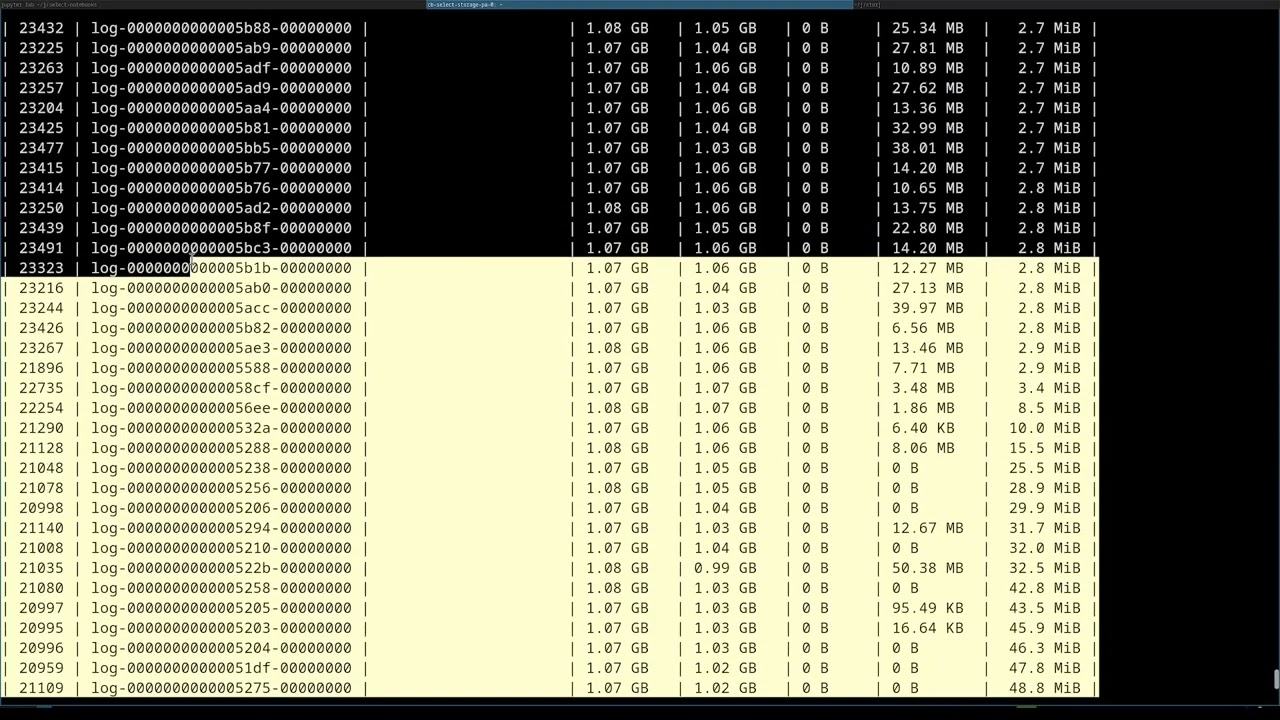
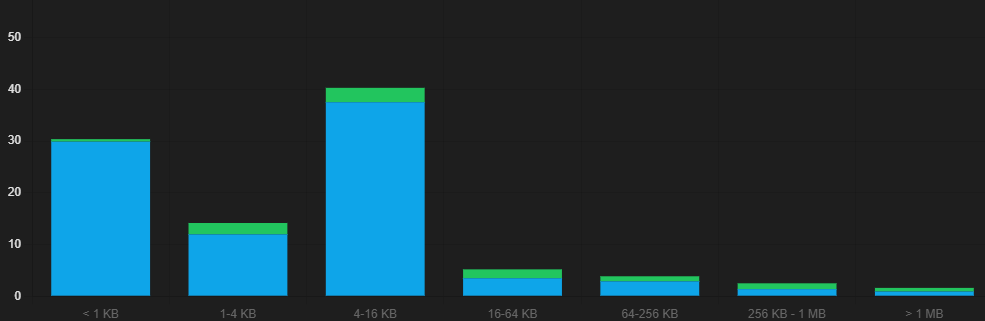
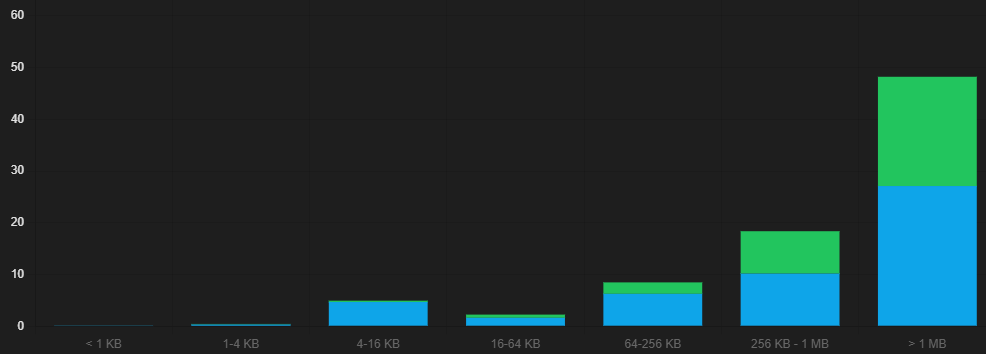
Green part is ingress? can you clean uploads/egress
Is this even used with hashstore? I don’t think so. 
Perhaps you are correct, and the only option to use RAM to help hashstore is to use memtbl. Or use tiered storage to allow to upload to SSD first, then it will move data to HDD later. In Windows you cannot force the system to use RAM first without a third-party software.
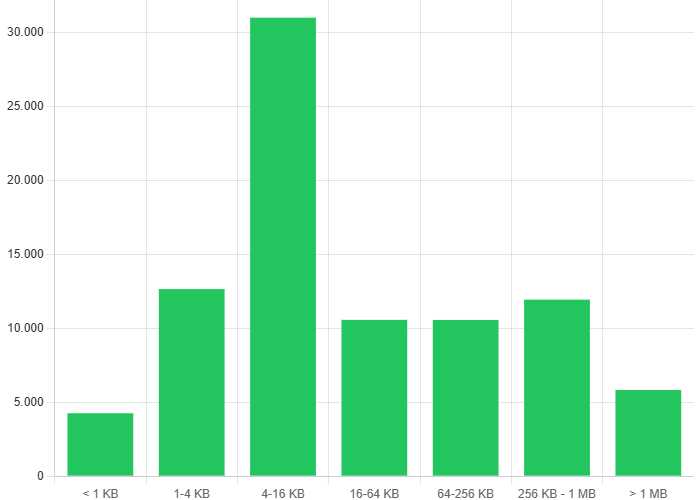


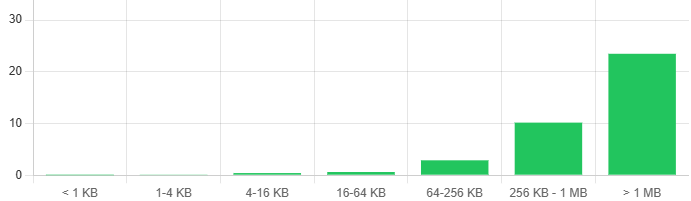

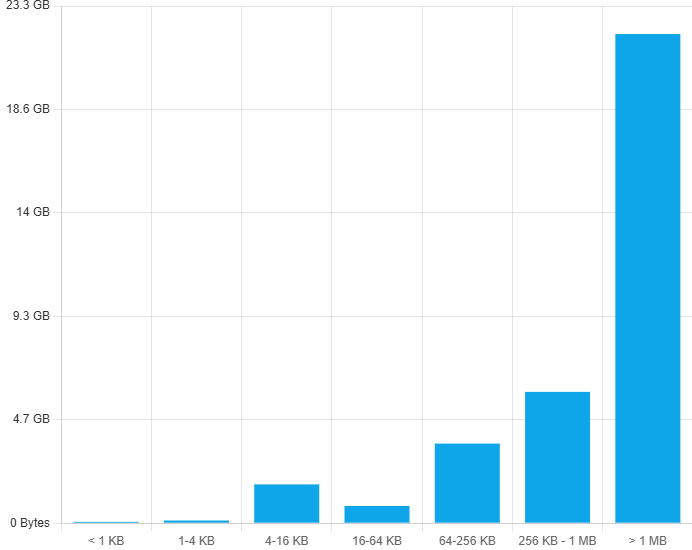
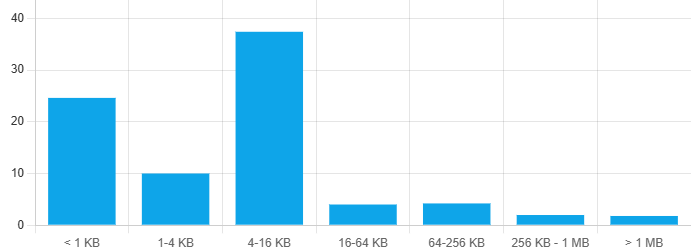

So, most packets are below 1MB.
but most data amount with packets with over 1MB.
So if you have lot of free RAM I would increase buffer to 2 MB.
But we dont really know, does it use this buffer with hashstore.
I’m guessing YOU will know shortly 
Please share once you have tested - it’s quite interesting, and I have a significant amount of spare RAM as well that could be put to use. Not sure if it’ll even make a difference with ZFS and a large ARC and 10-30sec dirty for TXG’s 
I changed it already, but it wait updait will trigger.
No for hashstore all pieces goes to RAM first, then appended to the log file. This option is for piecestore only.