Hi, i am trying to run start a Linux Node with docker. I am almost done, the last thing i want to do is bypass the docker NAT and make it bind directly at my NIC, so the docker runs with “–network host”
I was able to change the server port from 28978 to something like 20007, using the server.address variable in config.yaml, but i am unnable to change the console.address port fromm 14002 to something else like 14007. It just doesn’t apply the config i set in config.yaml. Is it hardcoded in docker somewhere? Or is there something i am missing?
This is going to be an issue when i want to start a second docker image
On a windows node i was able to change both but i wasnt using docker there
You can pass any parameter from the config file in the command line, including console.address. Command line takes precedence over the config file. Show your docker command.
Hi, yes it starts from the first character in the line, it is the correct config file because i can change the other variable server.address and it applies it after docker restart.
i saw nothing unsual in the log, no errors
But, thank you for that docker run command, that one works and it now uses port 14007 now instead of 14002! Being able to configure it via docker run is much more comfortable for managing it, no need to edit config files!
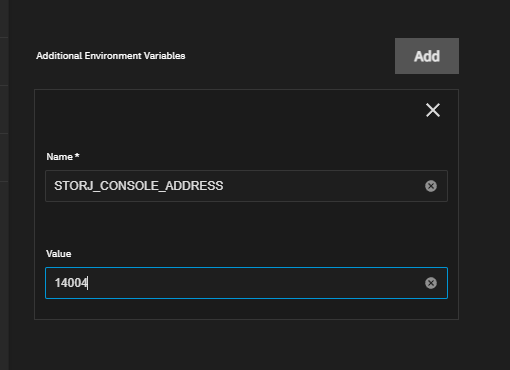
You can either used the runtime arguments (as it was suggested) or -e STORJ_CONSOLE_ADDRESS=....
I don’t like this behavior (personally I would prefer more transparent and more simple entrypoint script), but it’s hard to change without compatibility issues…
i think i see the problem now, so if i don’t set STORJ_CONSOLE_ADDRESS in docker run command, which i didn’t, it defaults to “0.0.0.0:14002”, and because it’s set now, it ignores the config.yaml configuration?
Which is a bit of a problem with using the TrueNAS SCALE app if you want to run on the host network, in order to use tcp fast open, as then it doesn’t give you the option to set the address.