Hi there,
Sorry for the delay, section 11.6 on Glossary of Storj Network Terms - Storj Docs really send me off track, if you wish to know what stripe is – please, only read that section, don’t swallow the whole paper..
Today, we will set up database using satellite-modular to set up schema to latest version.
Create User and Databases (main database AND metabase)
To login into your database, you can use my script in [Tutorial] Run your own satellite (part 2) - Set up cockroachdb, option 5) cockroach sql shell.
Then, create user and database using these commands (it is acceptable to manually do this since you only do this once):
create role my_role with login createdb password '123456'; # change your pass

set role my_role;

create database my_database;

create database my_metainfo_database;
(Note that, in postgres, there are no user, create user is really just a sugar syntax for create role with login, there are no group either, everything is a role - specifically mentioning this because someone come from mysql will confused – like myself).
Fix incompatibility between CRDB versions
StorJ run test with crdb v23, but as of now, crdb latest version is v26, some options changed it default value, if you try to run migration, you will run into these errors:
Error creating tables for master database on satellite: migrate: v227: migrate: ERROR: this schema change is disallowed because table "bucket_bandwidth_rollups" is locked and this operation cannot automatically unlock the table (SQLSTATE 57000)

Error creating tables for master database on satellite: migrate: v227: migrate: ERROR: relation "bucket_bandwidth_rollups" (261): unimplemented: primary key dropped without subsequent addition of new primary key in same transaction (SQLSTATE 0A000)
I’m crafting a PR to fix this and it’s on the way, but in the mean time, you could set two settings in database to false:
SET CLUSTER SETTING sql.defaults.create_table_with_schema_locked = false;
ALTER ROLE ALL SET autocommit_before_ddl = false;
UPDATE (Jul 28, 2026):
Or, you could patch two SQL in v227 and v244 (and keep your default cluster setting)
Database migration
What is migrate? It is a subcommand in satellite-modular. If you never work in software industry, the specific term to research is database migration, basically it a tool to help keep your database schema synchronized with changes in your application code over time, have a look at this.
To run migration, use this command:
./satellite-modular migrate \
--database-options.url "cockroach://my_role:123456@rendezvous.example.com:26257/my_database?sslmode=verify-full&sslrootcert=ca.crt" \
--metainfo.database-url "cockroach://my_role:123456@rendezvous.example.com:26257/my_metainfo_database?sslmode=verify-full&sslrootcert=ca.crt"
Of course, you need to change some of the info in the command to suite your need, if you done it correctly, the migration should run without a hiccup :).
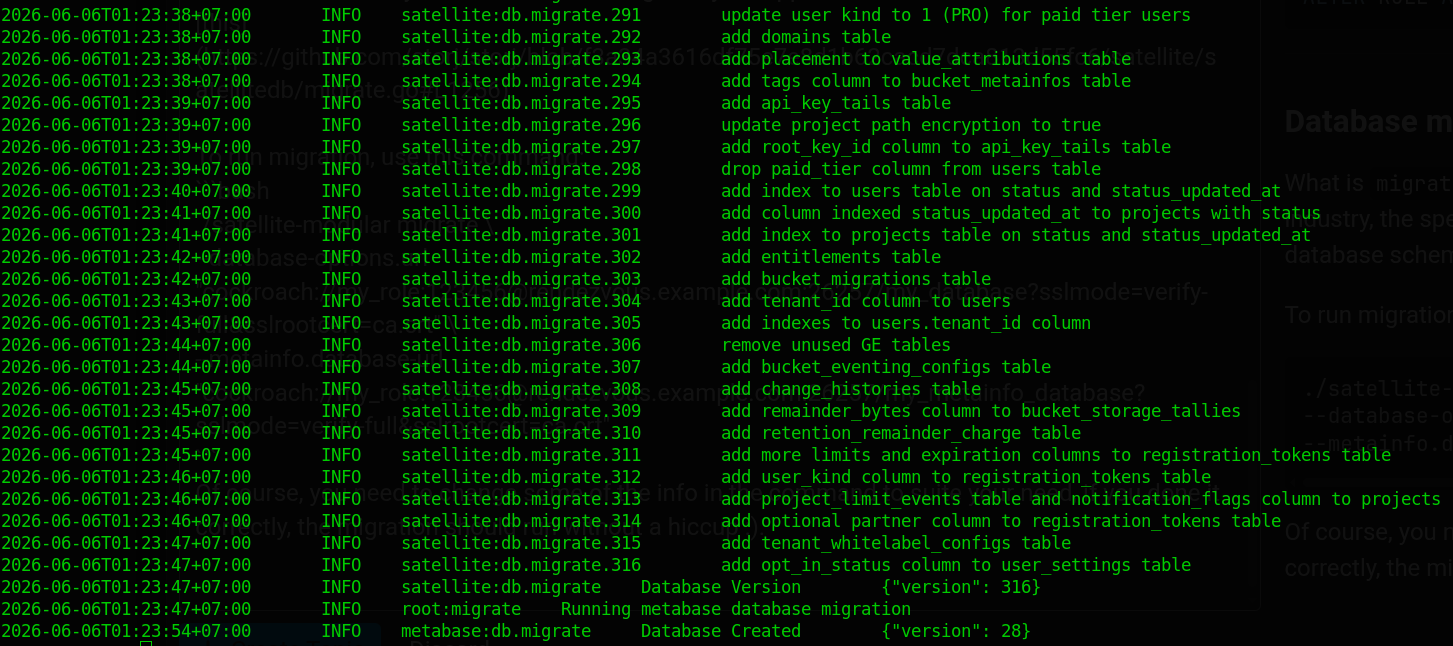
One thing I notice, StorJ is meticulous at writing these migrations, they always ensure compatibility between next version schema with the current version of satellite. What do I mean by that?
For example: your satellite is running binary v112, and v113 just release, you want to upgrade your satellite to v113. How do you do that?
Because they write these migration meticulously, you can do this: first you use binary version v113 to run ./satellite-modular migrate, it will bring schema to v113 while satellite binary still on v112, then gradually replace v112 binary with v113. Database migration without downtime. Yay!
And…That’s it for today :), I’ll see you in part 7.