Today I have 100 nodes on several location, also today just got second internet provider for additional 500/500mbit now need time to configure 2wan configuration
Yes. Its not an easy walk for 18tb from ntfs to ext4.
You need serveral runs of the syncing software(forgot the name) while the node is running and the last one has to be pffline with different command line additions. Its here on the forum, i dont have time to search the link.
Virtualisation is not recomended. It causes much problems obviously.(im not deep in this topic)
2 Likes
This could make things only worse. For Windows hosts the toolbox is the way to go, I can not recommend anything else.
1 Like
I don’t have expirience with virtual machines, but from many posts on this forum and from storjlings recommendations, best way would be to run the node in the native OS with it’s native file system. Using other OS in a virtual machine can create problems.
Transfering 18TB of data from one fs to another will take a verry long time, because there are millions of files. I would allocate 1TB for this storagenode, just to stop the ingress. This will speed up the sync. Also move db-es on a ssd and put logs on custom level, to reduce the I/O on the drive. Search for my post about custom log level.
1.You could keep this node as it is and build another machine with Linux from the start.
2.If you want to keep using and adding nodes on this machine, I would say stay with Windows. Vadim is the living proof that you can run multiple nodes on Windows with his toolbox. But I remember he said it requires constant maintenance. He can correct me, I really don’t know his adventures.
In the end, it’s up to you, your skills and time willing to spend maintaining the nodes. Maybe you can run succesfuly Linux in a virtual machine with many nodes. Share the expirience. We are all learning every day.
If you don’t rush, I will put a step-by-step guide about how I set up my new PC with Ubuntu Server running 2 nodes. But I have to find the time to put all my notes in a forum friendly format.
1 Like
You will loose significant TTLed data even if it completes in a week. there are ways but none without stones.
1 Like
@Vadim, can you please tell me, how can I reach this screen in you app?
this is not Toolbox, this is Audit App, first I need to update it to github, then you can download latest version.
2 Likes
Here it is.
Releases · TonyTosol/StorJ-Audit (github.com)
2 Likes
Amazing, thank you! Works like a charm!
1 Like
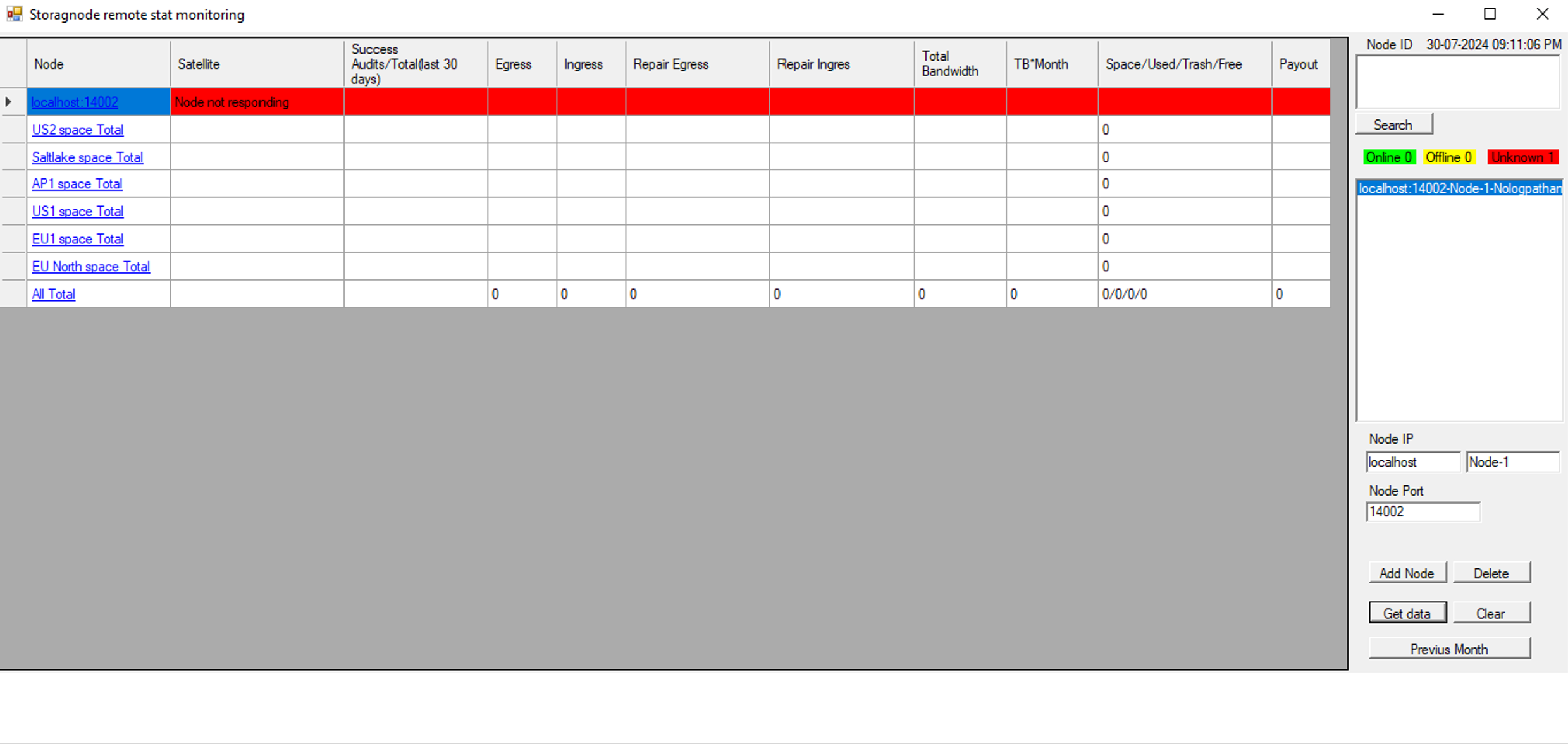
I always get “Node not responding”
My logs are in “C:\Program Files\Storj-1\Storage Node”
Any help would be appreciated. Thanks
it not need logs it get data from IP:port API this whan yor dashboard IP? localhost? or pc ip?
Firewall?
Its default localhost:14002 / 127.0.0.1:14002
I havent tested it this way, bacause I always use local ip for dash. to monitore servers from my laptop, but then you need open port on pc firewall and put pc local ip in config.
you can try to add like 127.0.0.1:14002 to audit soft if you on same pc
Can you guide me on which file should I edit?
config.yaml in program files\storagenode if you use windows GUI
please use nodepad++ for edit
it looks like this

for docker you need modify start command, but this is out of my knowledge how exactly.
Do you want me to put my System local IP address in there?
yes local pc ip in your local network, not external.
Changed the IP from 127.0.0.1:14002 to 192.168.50.21:14002
Dashboard is working but Audit app still shows “Node not responding”
what os version do you use?