are you in a CG-NAT?
Do you have a valid DDNS address?
you can use Myqnapcloud
are you in a CG-NAT?
Do you have a valid DDNS address?
you can use Myqnapcloud
I have public IP + Fiber, so DDNS is not needed.
Within my network I obviously forwarded the port 28967 on the router …
but if I don’t use container station because the app will load it from the AppCenter … I hope it is in bridge (how can I see it?)
but the thing that I ask myself the most is why it gives me this error? Is as if it hadn’t recognized the docker ;
/share/Web/STORJ/scripts/storagenodestart.sh: line 26: docker: command not found
/share/Web/STORJ/scripts/storagenodestart.sh: line 38: docker: command not found
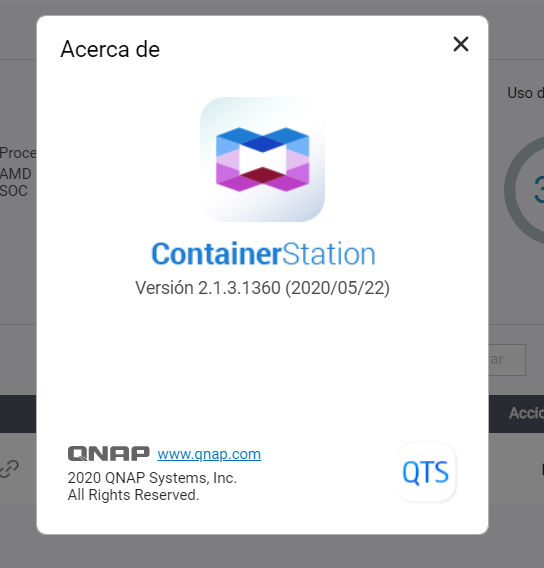
Which version of Container Station do you have? I suspect that with the latest version, it presents these problems … Mine is: V2.1.3.1360 (2020/05/27)
This is the release history:
I don’t know what to do but if it is an incompatibility between container station and Docker Storj … due to the update to the latest firmware version, because I have upgraded … and use the Storj Docker … I prefer to have the QNAP to the latest version … I have read of many ataches to the QNAP clouds and since they must always remain connected to the network you need to keep them updated to keep your data safe …
Too bad that for now there is this incompatibility that I will not allow to install Storage Node in my QNAP (after having waited so long for these changes of the Storj infrastructure) …
What should I do ? firmware downgrade … install Docker Storj and then do firmware upgrade again?
I have not found apart, to download only the lower version of the Container Station …
I removed and reinstalled Container Station on several HDDs several times … then I reinstalled Storj Docker several times and also “STORJ_1.0.2.qpkg” and lower versions and nothing … they don’t work even if I followed all your tuttorial. …
Yes, just edit your Storage Allocation and then - Update My Storage Node
If you mean to run a second node - yes too, but in the ssh session with a CLI instruction using a different external ports, a new identity with a new authorization token and with a different name.
I was able to download a previous version of container station and it was so … latest version which is in the firmware of Qnap (2.1.3.1360) does not work with STORJ_1.0.2.qpkg.
I managed to download the previous version but I have another problem …
In docker from container station i have this error:
./storagenode: line 1: syntax error: unexpected word (expecting “)”)
and in STORJ_1.0.2.qpkg app i have :
LATEST LOG :
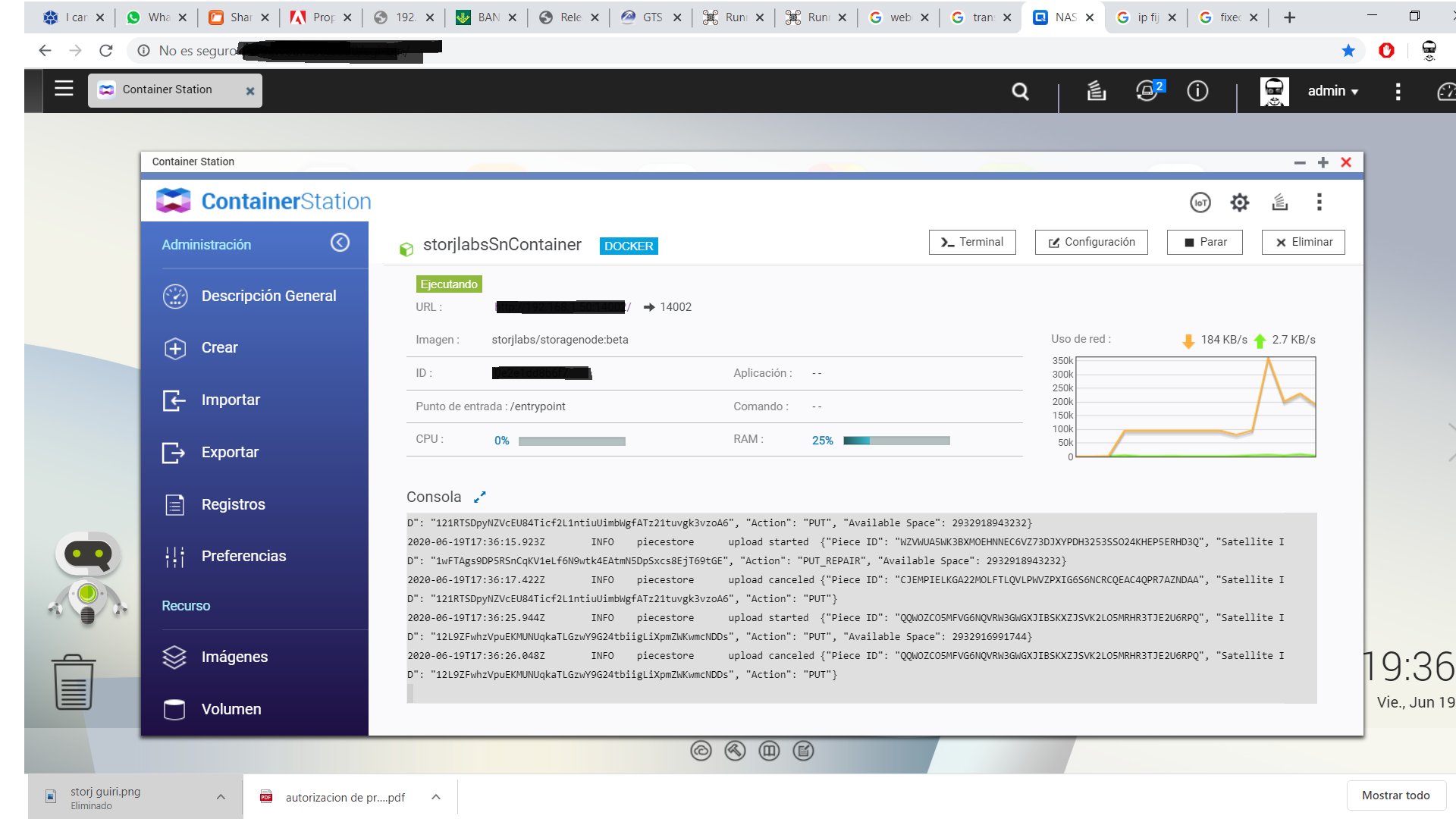
eccb2cda0316 storjlabs/storagenode:beta "/entrypoint" 1 second ago Up Less than a second 0.0.0.0:14002->14002/tcp, 0.0.0.0:28967->28967/tcp storjlabsSnContainer
Maybe it’s a problem only for the model, which I have … TS-332X … your perhaps being different works but in mine on the latest version of Container Station does not recognize some commands … of the Docker Storj.
But now as in the previous message, loading a previous version of the container station I solved the first part but it still gives me problems I think with assigning the ip from the container station to the docker … with the errors seen:
In docker from container station i have this error:
./storagenode: line 1: syntax error: unexpected word (expecting “)”)
and in STORJ_1.0.2.qpkg app i have :
LATEST LOG :
eccb2cda0316 storjlabs/storagenode:beta "/entrypoint" 1 second ago Up Less than a second 0.0.0.0:14002->14002/tcp, 0.0.0.0:28967->28967/tcp storjlabsSnContainer
it is an excellent NAS!
I do not know what to tell you. My version of APP Storj is 1.0.0
I had problems with the identity and paths, when I solved it I deleted the docker image, reinstalled the APP and it worked. In my APP I could not restore the identity, so I did it with Putty as indicated:
@Alexey :
I thought from some comment in the forum that it was not a good idea to mount a second node until the first one was full, although if you say so it should be better this way
This is not a bad idea. Just take into consideration, that all nodes behind the same /24 subnet of public IPs are treated as a one node for uploads and as a separate ones for uptime and audit checks.
In other words - you will not receive more data with multiple nodes on the same NAS than only one node.
Each new node must be vetted. While it vetting, the node can receive only 5% of potential traffic until got vetted. To be vetted on one satellite, it should pass 100 audits for it. For the one node it should take at least a month.
In case of multi setup the vetting process can take in the same amount of times longer as a number of nodes behind the same /24 subnet of public IP.
This is why we recommend to start a next node only when the previous one almost full or at least vetted. In such case the vetting process will not take forever.
Better without haste. I plan to set up another Nas to avoid catastrophic risk in my office near my home. Would it be nice to install a node on it?
This is up on you!
Keep in mind - it must be a different identity, not the same.
I thought that to be a different public IP but in the same geographical area it would be useless according to this article:
Let’s talk hypothetically for a moment and say your entire file is stored in a single city. If the power goes out in that city, or a natural disaster strikes, your data will be lost.
Another hypothetical situation to think about: what if all of your data is stored in the same region? In this scenario, you could potentially lose access to your data in the event of an outage for any reason, whether it’s a utility outage, natural disaster, or state-sponsored “service interruption.”
With today’s v0.14.3 release, we’ve implemented a feature called IP filtering, which will ensure that no file pieces corresponding to the same file are stored in the same geographical area, based on logical subnets.
Taking this approach ensures the network (and the data stored on it) remains decentralized with a wide geographical distribution. On the previous network, nodes were selected for new data storage on a per-node basis. Selecting nodes based on logical subnets means having more or fewer nodes in the same location won’t cause more or less data to be stored. A single 40 TB node would receive the same amount of data as 10, 4 TB nodes on the same IP address.
If you’re storing data on the V3 network, or working on an integration, this means you’re much less likely to lose data. If you’re a storage node operator, this means that you won’t receive any more (or less) data if you’re running one, two, or 100 nodes from a single location.
This is exactly what I wrote earlier:
From the practical point of view you can have more than a one node in the same /24 subnet of public IPs if:
In those cases the traffic will be distributed between your nodes. In summary they can receive only as a one node, so it would be a native kind of RAID  , but in case of drive failure you will lost only that one node not everything, all other will still working.
You can read more there: RAID vs No RAID choice
If I perform a hardware update and get faster download / upload, can I request a new audit? it is convenient??
Audits just check whether data is still there, they don’t test speed or anything. If you get a higher speed connection, you will immediately start winning more races to get pieces. Node selection currently doesn’t use any speed metrics to prefer faster nodes over others. Keep in mind that more speed doesn’t really help when you go over about 50-100mbit. At that point you’re already getting pretty much the maximum amount of traffic. And other than raw speed, the latency is also a factor. If your latency to the customer is high, then more speed is not going to help with that.
Is it possible to run success rate on Nas Qnap?
thanks!
Yes you can, but the app doesn’t use the default container name so you need to pass the container name to the script.
./successrate.sh storjlabsSnContainer